

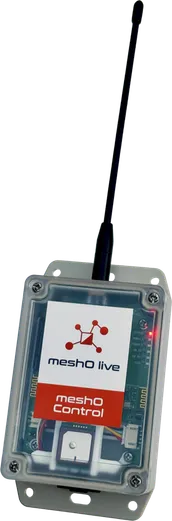
meshO Control
The radio control that relays every punch.
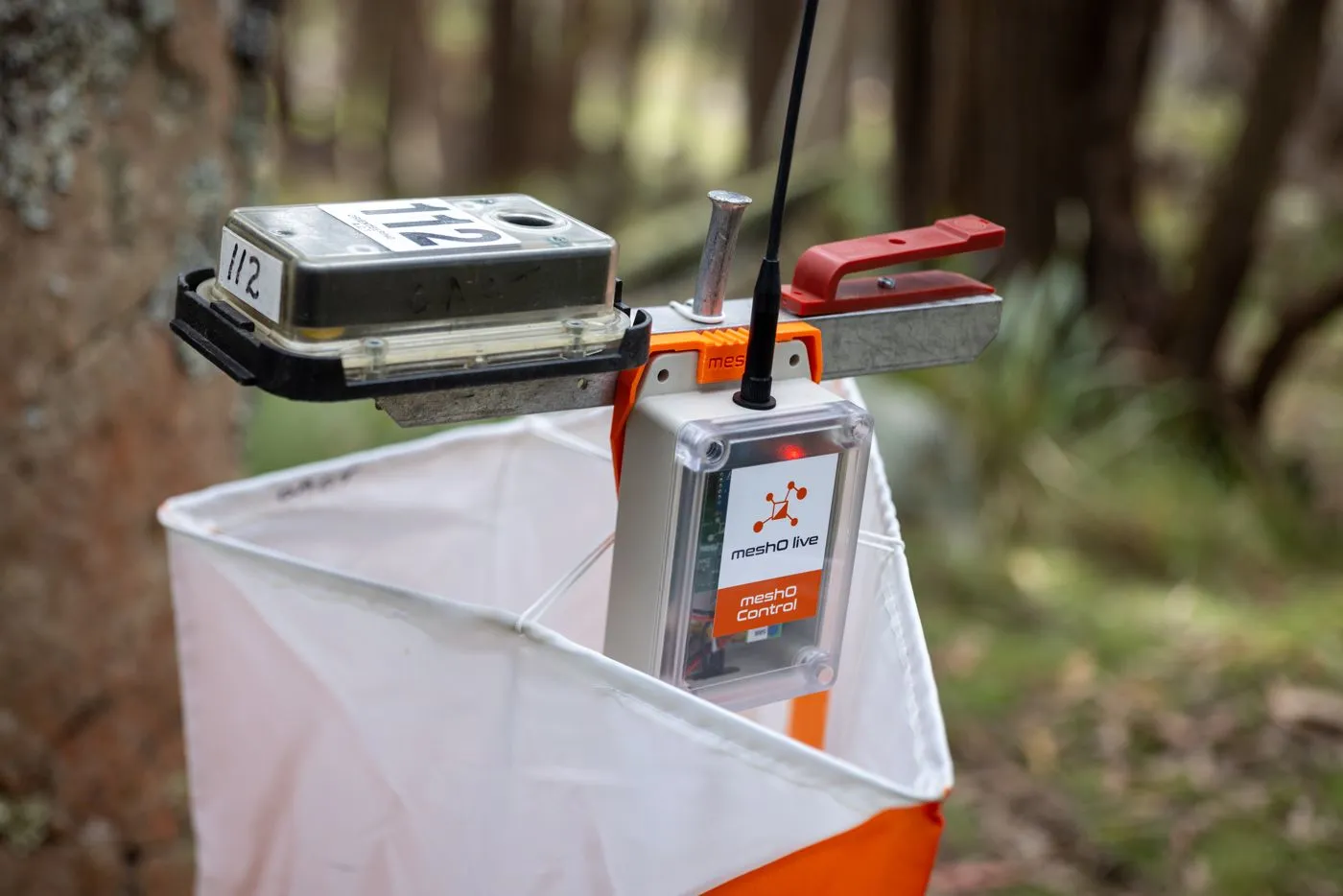
Clip it beside the SportIdent unit at any control. It hears the punch, joins the mesh with the radios around it, and passes the punch on to the arena — without cellular coverage.
A$299US$249€219 ex GSTexcl. taxexcl. tax · includes one meshO Bracket and one charging cable
Live without coverage
Punches travel radio to radio across the course to meshO Prime. No cellular signal or Wi-Fi needed.
Every punch delivered
It stores hundreds of punches. If the network is down, or not fully up when competitors start, they arrive as soon as it is.
Any control
The start, the finish, a check control or any control on the course.
A full day and more
At least 24 hours of continuous running. Charges overnight in the 20-bay case.
Quick on the day
Brackets go on the stands beforehand. On the day, swipe a magnet to switch on and clip it in.
At an event
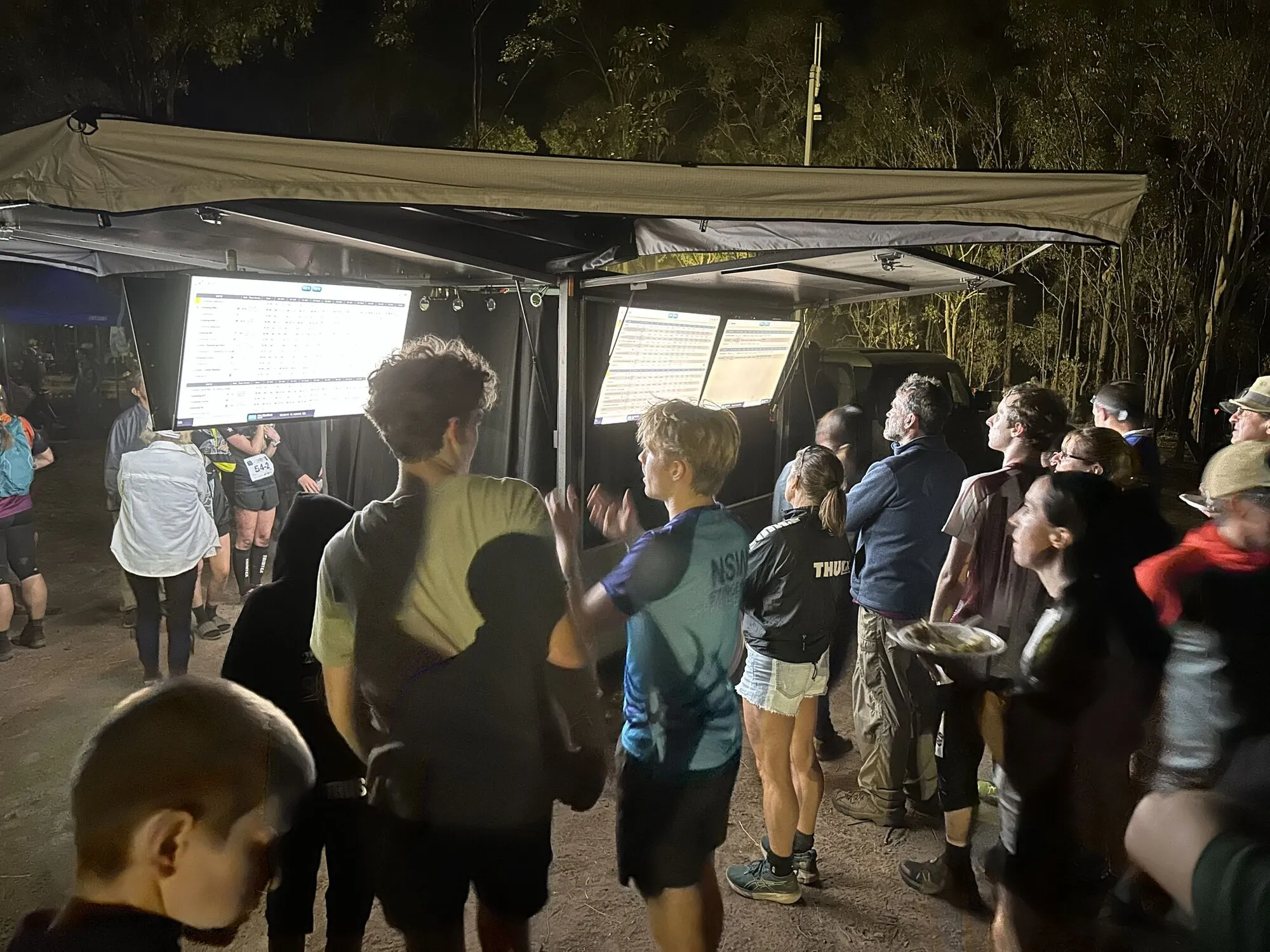
Australian Championships 2025
Seven events in nine days at seven venues. Radio punches on the arena screens and in the commentary, every day.
Read the case study →How it works
From the punch to the arena
- 1
It hears the punch
A SIAC punching in the air, or a BSF8-SRR unit, sends a short-range radio message. meshO Control picks it up.
- 2
The mesh carries it
The punch passes radio to radio until it reaches meshO Prime. If a path drops, the mesh finds another; if there is no path yet, the punch waits in the control until there is.
- 3
The arena sees it
meshO Prime hands it to your event software over USB — screens, commentary and live results update.
Features
Built for the forest
Radio
- Listens for SIAC cards and BSF8-SRR units
- Joins and extends the mesh
- Self-healing: a lost path is routed around
- Guaranteed delivery: stores hundreds of punches until the network takes them
In the field
- IP67
- Built-in GPS to verify placement
- Clips in and out of the meshO Bracket
Power
- At least 24 hours continuous
- Rechargeable, magnetic charging cable
- Charges in the 20-bay case
Setting up
- Switches on with a magnet
- Lights show it searching, then joined
- Place from meshO Prime outwards
Range
Depends on the terrain
Rules of thumb between two radios. Use intermediate radios to bridge hills and distance.
| Unobstructed line of sight | more than 3 km |
| Sparse vegetation | about 1 km |
| Dense vegetation | 150–300 m |
Works with
Your event software
Through meshO Prime, punches go straight into the software you already time with.
- meshO Manager FreeDownload
- MeOS Tested
- OE Tested
- O-Lynx Tested
- SI Timing Tested
- Other Accepts standard punch messages over USB
Specifications
The details
| Punches received | SportIdent SRR radio punches from SIAC cards and BSF8-SRR units · compatibility |
|---|---|
| Network | meshO self-healing sub-GHz mesh, to meshO Prime |
| Delivery | Guaranteed; hundreds of punches stored in the control until they reach meshO Prime |
| Frequency band | 902–928 MHz (varies by region) |
| Range | Terrain-dependent · range guide |
| Battery | Rechargeable; at least 24 hours continuous |
| Charging | Magnetic connector, USB-A cable; in the charging/transport case |
| Switching on | Magnet swipe on the side of the unit |
| GPS | Built in, to verify placement |
| Weatherproofing | IP67 |
| Dimensions | 110 × 70 × 40 mm, plus a 20 cm antenna |
| Weight | 180 g |
| Operating temperature | −10 to 50 °C |
In the box
- meshO Control
- One meshO Bracket
- One charging cable
Pricing
Buy or hire
Prices exclude tax. Every order starts with a quote.
Buy
A$299US$249€219 each, ex GSTexcl. taxexcl. tax
Includes one meshO Bracket and one charging cable.
| Starter pack5 × meshO Control, 1 × meshO Prime, 2 × meshO magnet | A$1,794US$1,494€1,314 |
| Club pack10 × meshO Control, 1 × meshO Prime, 1 × Charging/transport case, 2 × meshO magnet | A$3,788US$3,148€2,778 |
| Competition pack20 × meshO Control, 1 × meshO Prime, 1 × Charging/transport case, 2 × meshO magnet | A$6,778US$5,638€4,968 |
Hire
Priced on request
Hire is quoted for your event. Delivery and return are arranged with your quote. Limited hire of meshO radio equipment is also available in the US.
Hire for an eventOr let us run it
Event services bring the radios, results screens, commentary and a crew, and run it all from meshO Manager.
See event servicesAccessories: meshO Bracket A$15US$13€11 · charging cable A$12US$10€9 · magnet A$5US$5€4 · charging/transport case A$499US$409€369. Full pricing →
FAQ
Questions organisers ask
Do I need meshO Manager?
Which punches does it pick up?
What do I change on my SportIdent units?
Will it run competitors’ SIAC batteries flat?
What if a radio loses the network?
Does it help with safety?
How many do I need?
Also in the radio control system

How many radios does your event need?
Tell us the course and terrain — we’ll size the network and quote.