

meshO Prime
Creates the mesh and brings every punch to your event computer.
meshO Prime sits in the arena, plugged into the event computer by USB. Every meshO Control on the course finds its way back to it, and every punch they hear arrives here.
A$299US$249€219 ex GSTexcl. taxexcl. tax
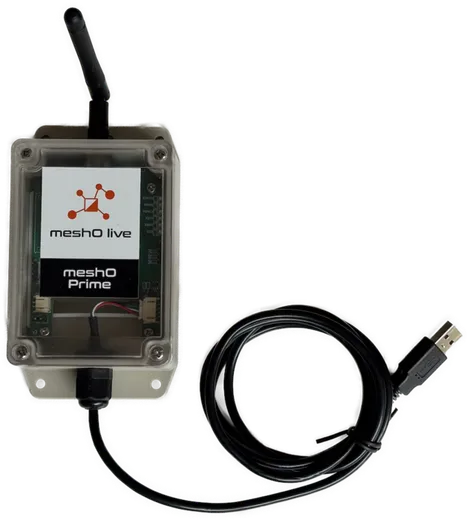
Creates the network
Turn meshO Prime on first. The radios find it as they are placed, from the closest outwards.
Receives every radio punch
Whatever path a punch takes through the mesh, it ends here.
Your software, over USB
meshO Manager, MeOS, OE, O-Lynx or SI Timing receive the punches as they arrive.
Where it goes
In the arena, beside the event computer
On the course
meshO Controls
In the arena
meshO Prime
USB
Event computer
With meshO Manager, meshO Prime plugs into the computer running the Manager server.
Specifications
The details
| Role | Creates the meshO mesh; receives radio punches from meshO Controls |
|---|---|
| Connection | USB to the event computer |
| Works with | meshO Manager · MeOS · OE · O-Lynx · SI Timing |
| Network | meshO self-healing sub-GHz mesh |
| Frequency band | 902–928 MHz (varies by region) |
| Power | USB-powered |
| Dimensions | 110 × 70 × 40 mm, plus a 20 cm antenna |
| Weight | 180 g |
| Weatherproofing | IP67 |
| Operating temperature | −10 to 50 °C |
Pricing
Buy or hire
Hire
Priced on request
Delivery and return are arranged with your quote. Limited hire of meshO radio equipment is also available in the US.
Hire for an eventFAQ
Questions organisers ask
Do I need meshO Manager to use it?
Where does it plug in?
What order do I switch things on?
How many do I need?
Also in the radio control system

One meshO Prime, every punch.
Pair it with meshO Controls for live results from the course.