

meshO Manager
Run the whole event from one laptop.
Event timing and management software. Install it on one computer; everyone else — the download desk, registration, commentators, arena TVs, spectators’ phones — opens it in a browser. With or without radio controls.
Free
Windows · macOS · Linux
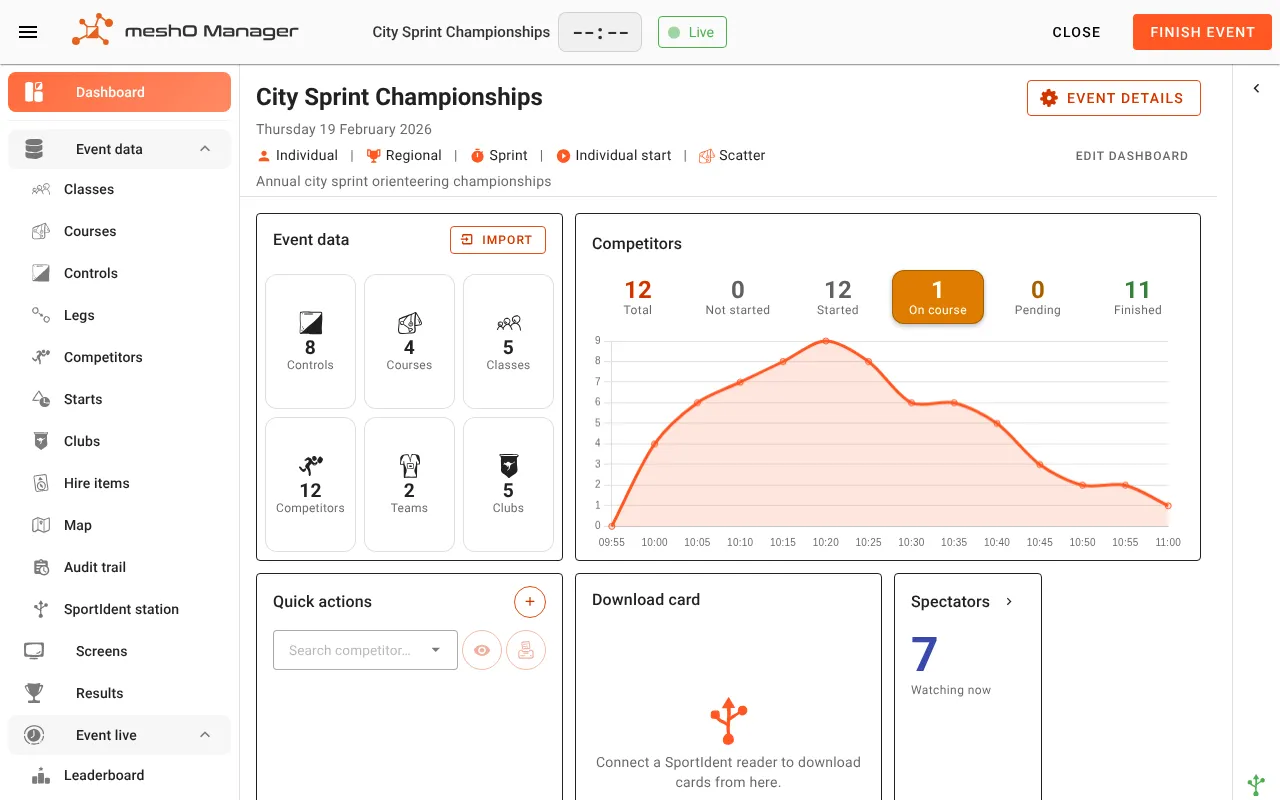
One install
No copies to keep in sync and no separate database. Every other device just opens a web page.
Everyone sees it live
A download, a radio punch, a status change — every connected device updates the moment it happens.
Roles split across people
Downloads, missing punches, late entries and commentary at once, from different devices.
No internet needed
A local network is enough on the day. The internet is only for downloading updates.
How it works
One server, any number of browsers
One Windows, Mac or Linux computer
meshO Manager
Runs in the system tray or menu bar. meshO Prime plugs in here, if you use radios.
- Download deskAny laptop with a card reader
- RegistrationLate entries, hire cards
- CommentaryLive feed on a tablet
- Arena TVsSmart TV or media stick
- Info screensStart clock, radio feed
- SpectatorsTheir own phones
The Manager control screens are protected by a PIN; spectator, kiosk, leaderboard and commentary screens stay open on the network, each on its own address.
Features
From entries to final results
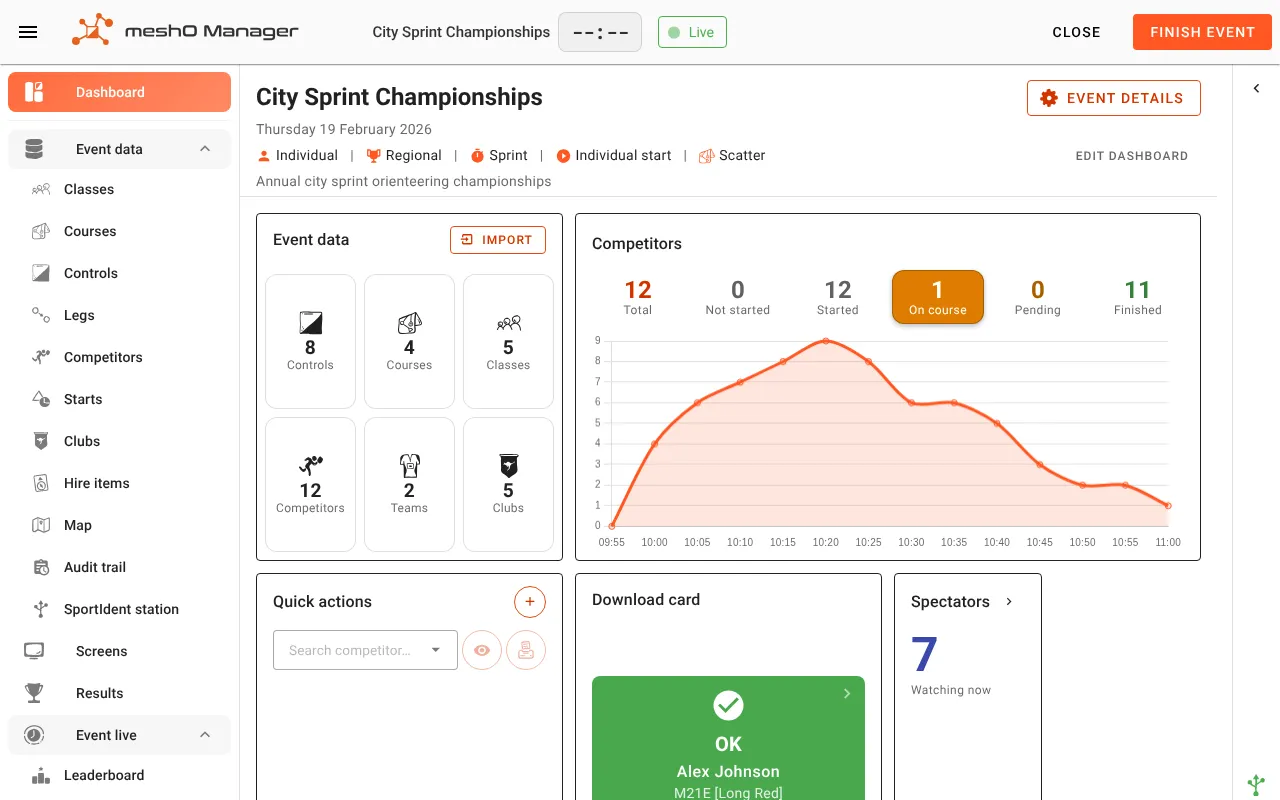
Timing
- SportIdent and EMIT (MTR4, 250) card downloads, in the browser
- Splits printing at the download station
- Start draw, start times, punching starts
- Late entries, hire cards and hire items
- Radio punches live from meshO Prime, when you use radios
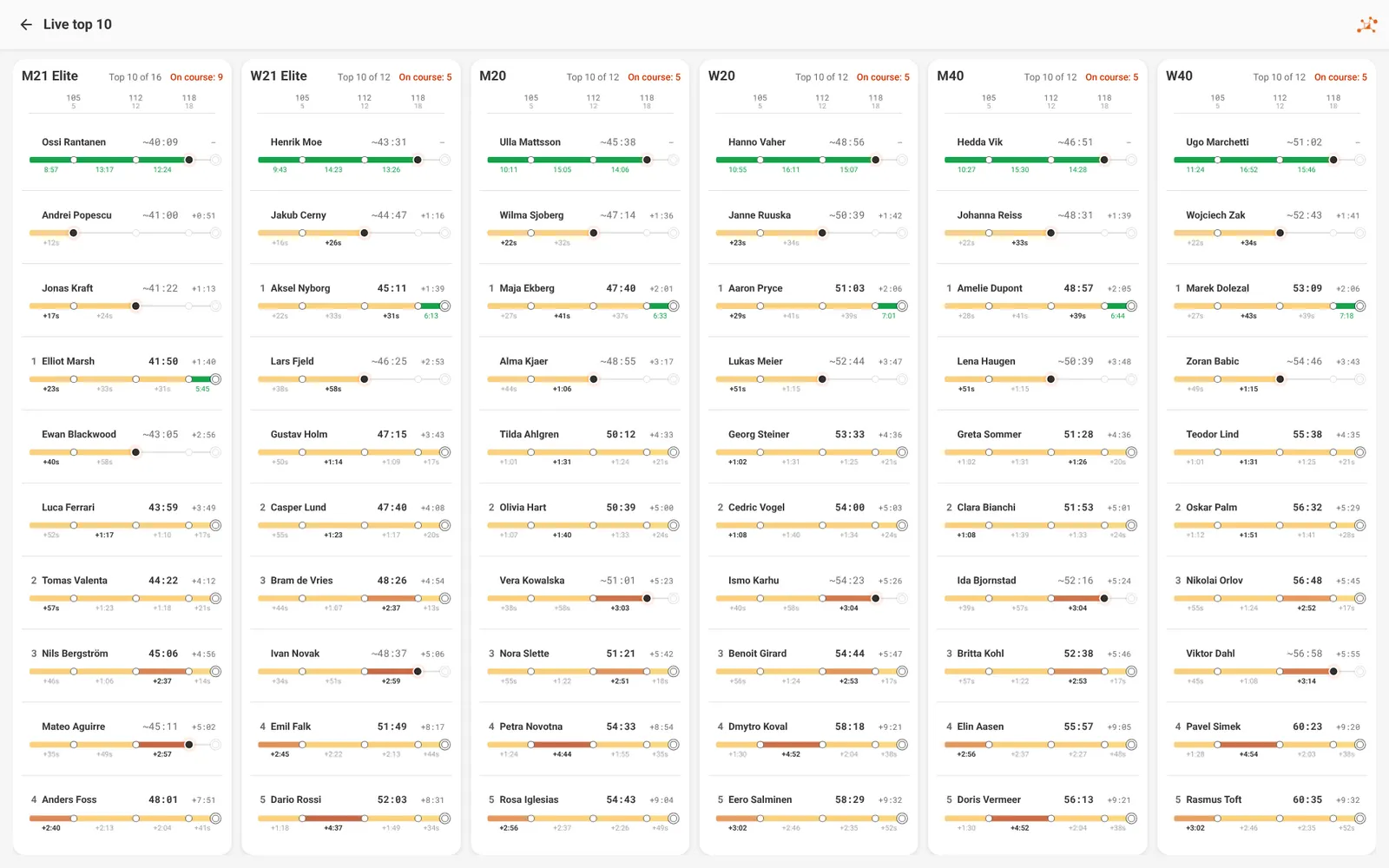
Results and screens
- TV leaderboards and live top 10 walls
- A commentary feed, by class
- Spectator and kiosk views, with no setup
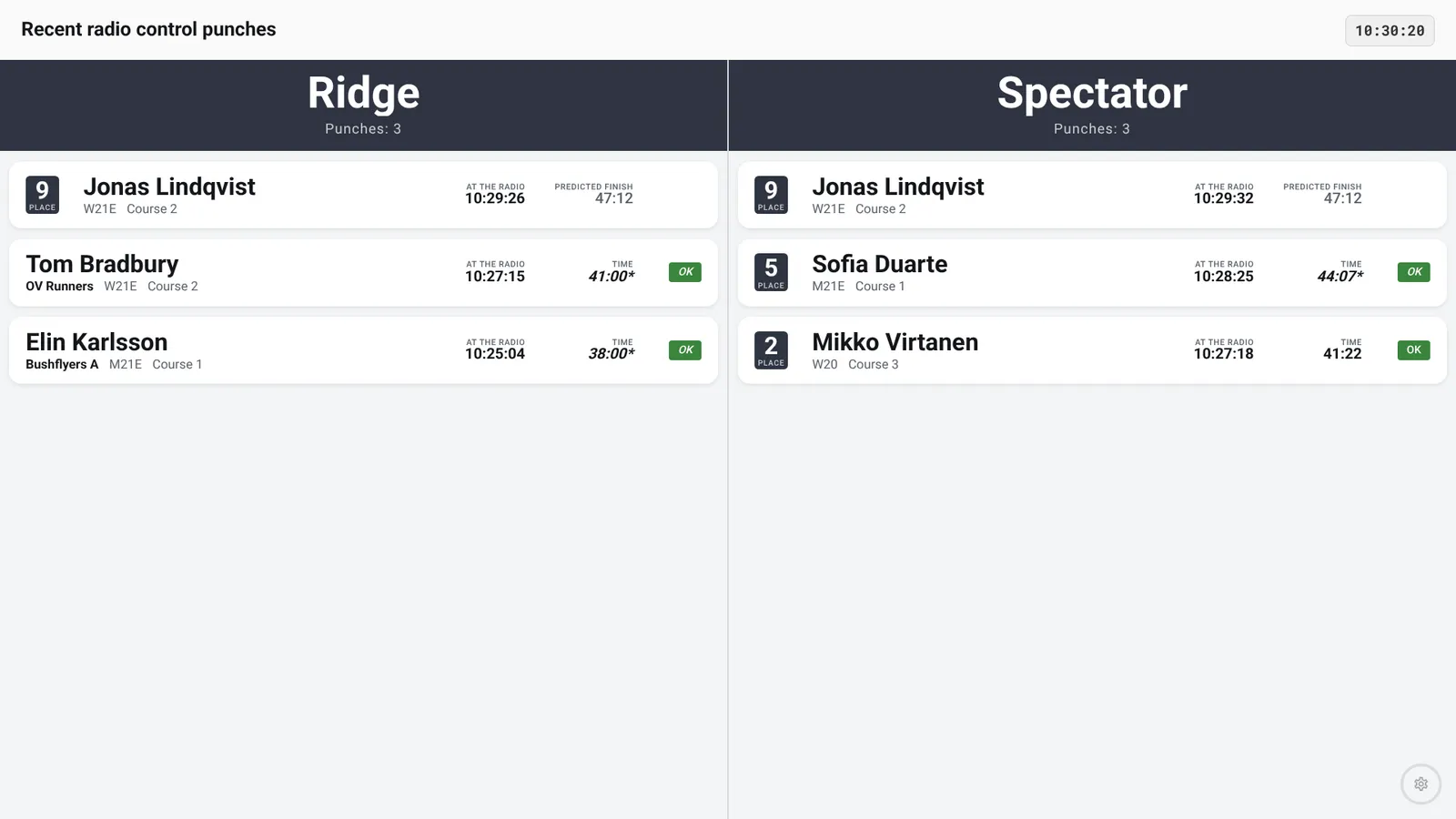
- Info screens: start clock, starters, radio-control feed, pending downloads, video
- Results quarantine for elite classes until release
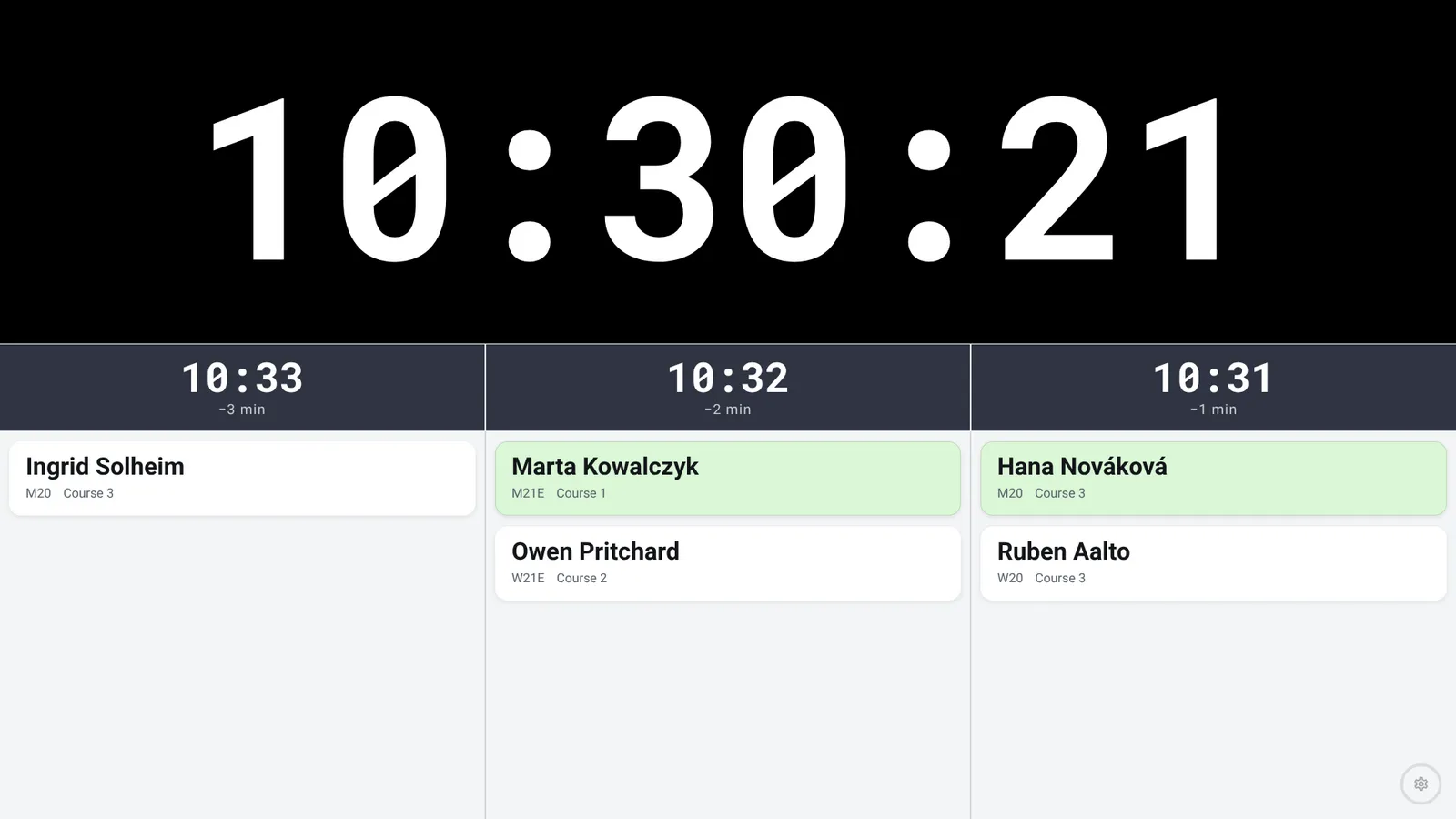
Safety
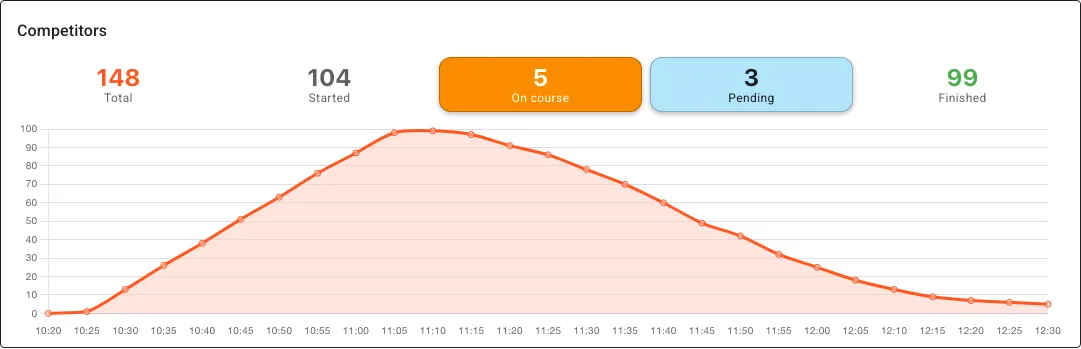
- The whole field at a glance: a graph of how many are on the course through the day
- One click lists everyone still on the course, and where each was last seen
- One click lists everyone who has punched the finish but not downloaded
- Check radios show who actually started; finish radios show who is back
- A safety check before you pack up
Every kind of event
- Low-key club events
- Individual and relay
- Multi-stage carnivals with overall standings
- Knock-out competitions
Data in and out
- Create an event from Eventor
- IOF XML and Orienteering JSON
- Publish to liveresultat
- Exports for results and archives
On the day
- An audit trail of every change
- Nothing is lost if the disk stops taking writes
- 18 languages
Radios optional
Complete on its own. Better with radios.
meshO Manager times an event from e-card downloads alone. Add meshO Controls and a meshO Prime and radio punches appear on every screen while runners are still on the course.
The radio control systemRequirements
What you need
| The server computer | Windows 10 or 11 (64-bit) · macOS 12 Monterey or later, Apple Silicon or Intel · Linux, 64-bit x86_64 (AppImage) |
|---|---|
| Network | A local network the other devices can reach, Wi-Fi or wired. No internet during the event |
| Other devices | Any modern browser — laptops, tablets, phones, smart TVs. Nothing to install |
| Card downloads | A laptop or desktop with Chrome or Edge 89+, or Firefox 151+ · SportIdent or EMIT (MTR4, 250) reader |
| Radio punches (optional) | meshO Prime, plugged into the server computer over USB |
Download
Free. The latest version, every time.
Install on one computer only.
Not sure which Mac? Apple menu → About This Mac → Chip. Install guide →
FAQ
Questions organisers ask
Do I need meshO radios?
Is it really free?
Do I install it on every laptop?
Can the download desk be a different laptop?
Does it need the internet on the day?
Can I bring entries from Eventor?
Try it on your next club event.
One laptop, a card reader, and you are timing.