Event technology
Radio controls won’t flatten your SIAC
Many organisers limit radio controls to protect competitors’ SIAC batteries. We worked out what turning on “Send last record” really costs. It’s about 0.2% of a SIAC’s battery life where radios are listening, about 1% at worst, and nothing at all for the controls.

Tate Needham
meshO · · 8 min read
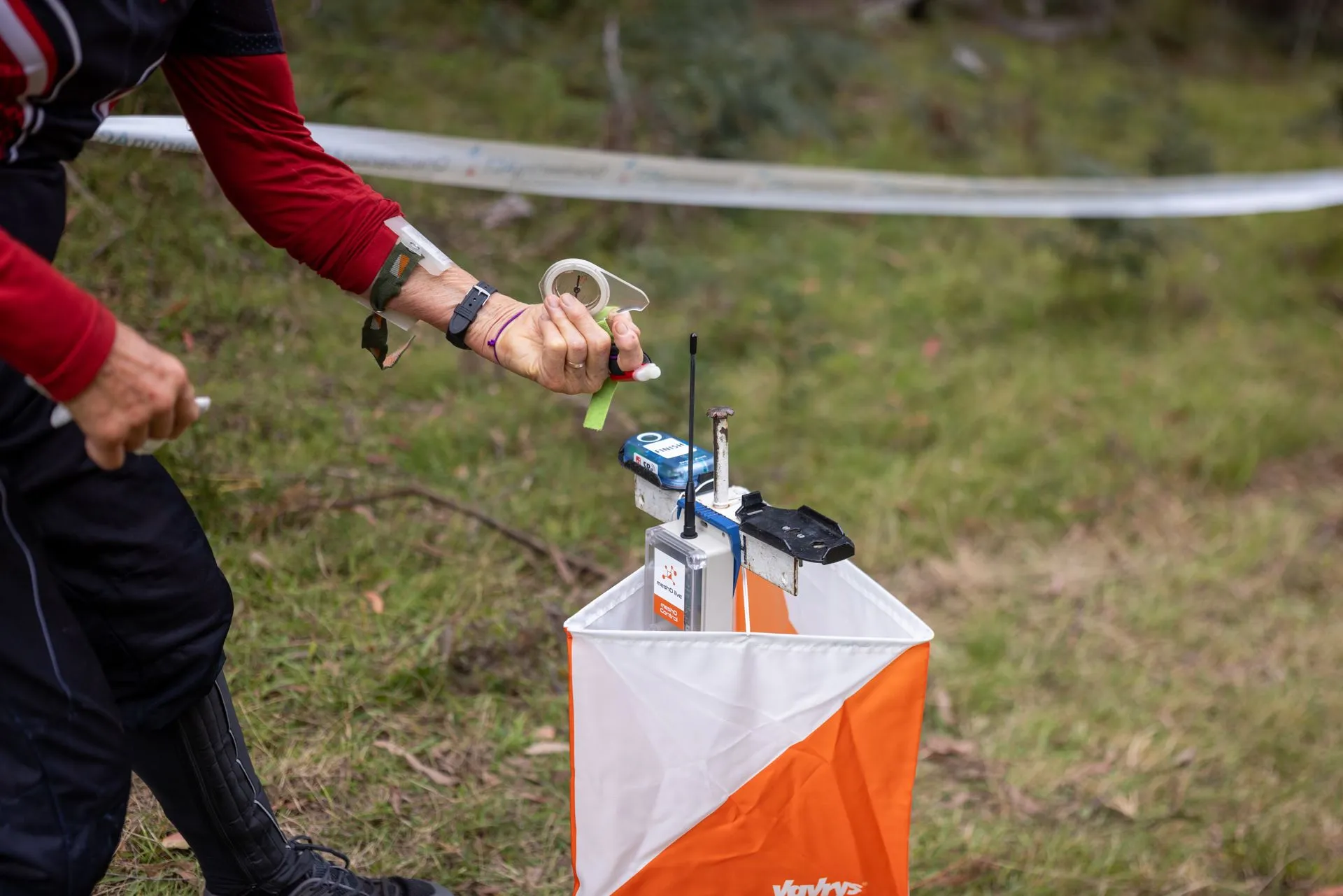
At the recent Oceania carnival, only some of our controls were set up as radio controls. The reason was one we hear often: a worry that asking every SIAC to radio its punches would run competitors’ batteries flat. SIACs aren’t cheap, and no organiser wants to be blamed for a flat battery.
So we worked out what it actually costs. The answer is hardly anything. Turning on “Send last record” at every control shortens a SIAC’s battery life by about 0.2% when radio receivers are listening, and by about 1% in the worst case, where there are no receivers out at all. It makes no difference to the controls. That means organisers can switch it on everywhere and put radios wherever they’re needed on the day.
How a contactless punch works
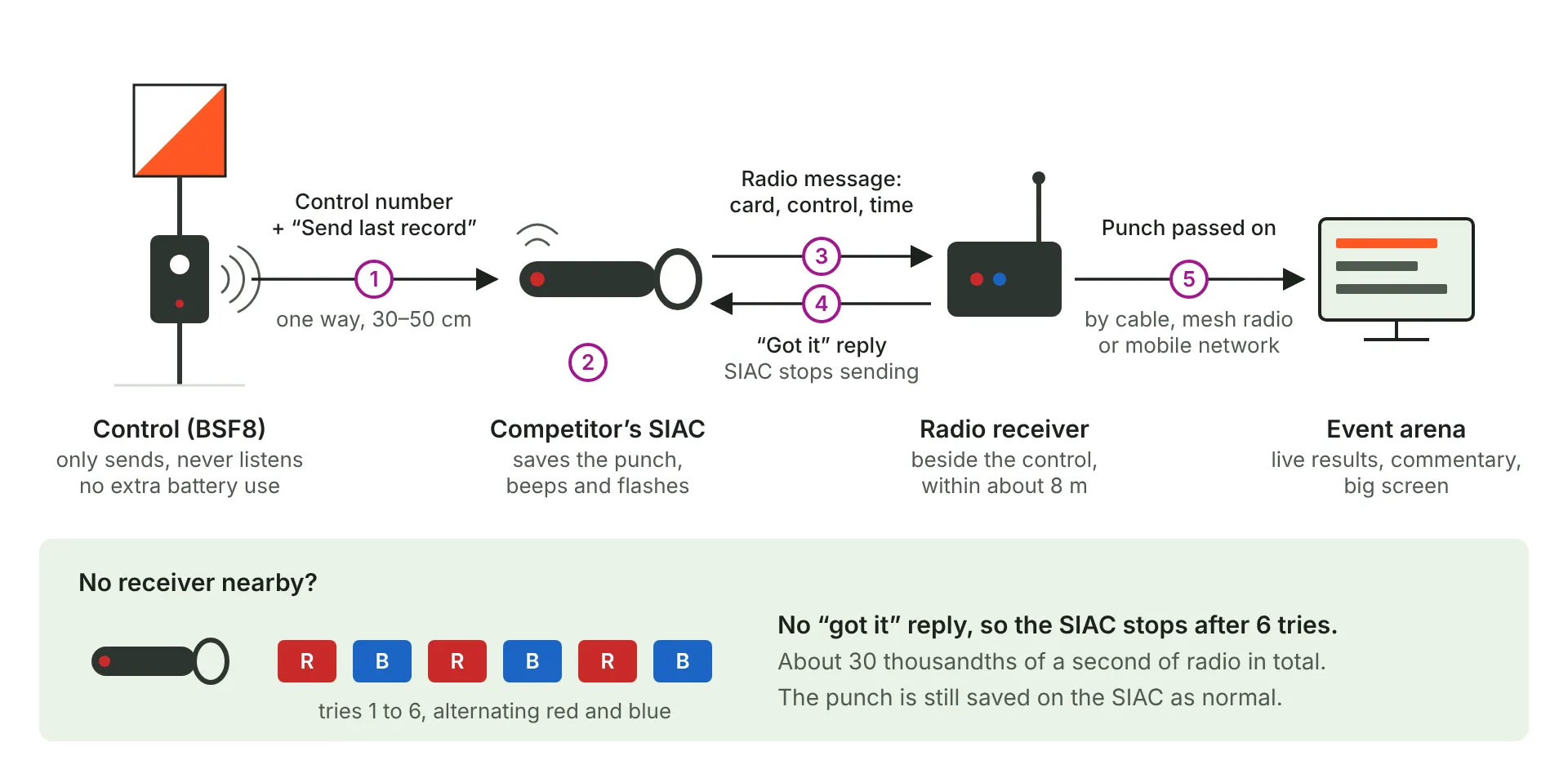
When you punch with a SIAC in AIR+ (contactless) mode, the control isn’t reading your card. It works the other way round. A control in beacon mode keeps sending out a short-range signal that reaches about 30 to 50 cm. That signal carries the control’s number and a few settings. When your SIAC passes through it, the SIAC saves the punch in its own memory, then flashes and beeps to tell you it worked.
The control never hears from your SIAC. It doesn’t know you were there, and it doesn’t keep a record of your punch. Your SIAC holds the only copy until you download at the finish.
Where radio controls come in
Every SIAC also has a small built-in radio, which SPORTident calls Short Range Radio, or SRR. It uses the same licence-free 2.4 GHz band as Wi-Fi and Bluetooth, and reaches up to about 8 metres.
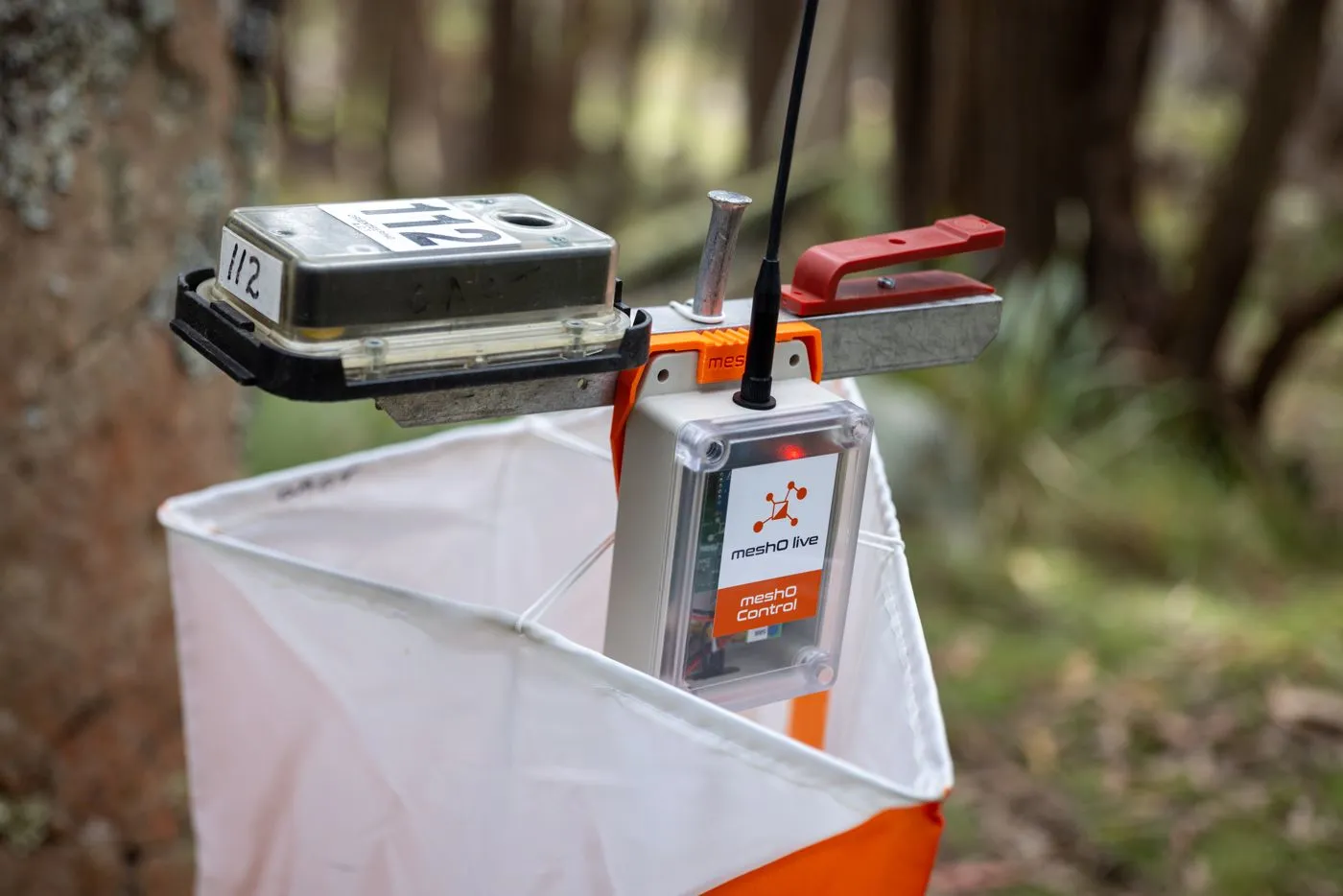
“Send last record” is a setting on the control. meshO Manager calls the same setting “Send the last punch”, under AIR+ radio. When it’s switched on, the control adds one extra instruction to the signal it already sends: once you’ve saved this punch, send it by radio. Your SIAC then sends a short radio message with your card number, the control number and the time.
If a radio receiver is set up near the control, it hears the message, replies with a quick “got it”, and passes the punch on to the arena for live results, commentary or the big screen. The SIAC hears the reply and stops.
If no reply comes back, the SIAC tries again, switching between its two radio channels: red, blue, red, blue, red, blue. After six tries it gives up. Either way, your punch is already saved on your SIAC. The radio message is only an early copy for the people at the arena.

What it costs the SIAC
Each radio message takes about a thousandth of a second to send. Add the time to wake the radio and listen for a reply, and each try keeps the radio busy for about five thousandths of a second.
To see what that adds up to, we took a keen orienteer: two courses a week, 20 controls each, every week for five years. That’s about 10,400 punches. A SIAC battery holds 140 mAh and lasts about five years at that rate of use.
With a receiver at every control, each punch needs one radio message. Over five years that adds up to about one minute of radio time. The battery goes flat about 3.5 days sooner, a 0.19% reduction in battery life.
With no receivers anywhere, every punch uses all six tries. That’s about five minutes of radio over five years. The battery goes flat about three weeks sooner, a 1.1% reduction.
Those days aren’t extra time the SIAC spends switched on. They’re how much earlier the battery runs flat, at the end of five years.
SIAC battery life over five years of keen orienteering
baseline
0.19% shorter, about 3.5 days
1.1% shorter, about 3 weeks
Over five years, the extra radio time adds up to about one minute.
Most orienteers punch far fewer controls than our keen orienteer, so their share is smaller still. To put the numbers in context, SPORTident notes that SIAC batteries rarely last much beyond five years however they’re used, because the cells age. And the three rounds of beeps that confirm each punch go on for more than a second, while the radio message is over in a few thousandths of a second.
What it costs the control
Nothing. “Send last record” is one more bit in the signal the control already sends to every SIAC that passes. The control doesn’t listen for radio messages, send anything extra or do any extra processing, so its battery lasts exactly as long with the setting on as with it off.
Running a control in beacon mode does use more of its battery than direct punching. That’s the same whether “Send last record” is on or off.
Our advice: switch it on at every control
When you program controls for an event, turn on “Send last record” (“Send the last punch” in meshO Manager) at all of them, not only the ones you plan to use as radio controls. Then:
- You can add a radio receiver at any control during the event, without collecting the control to reprogram it.
- You can move receivers when plans change, for a new spectator control, an extra commentary split or a control you want to keep an eye on.
- Controls without a receiver work exactly as before. Competitors won’t notice anything, and their punches are saved on their SIACs as usual.
In the worst case, it costs a keen orienteer’s SIAC about three weeks over five years. In return, every control on your course is ready to become a radio control whenever you need one.
Where to find the setting
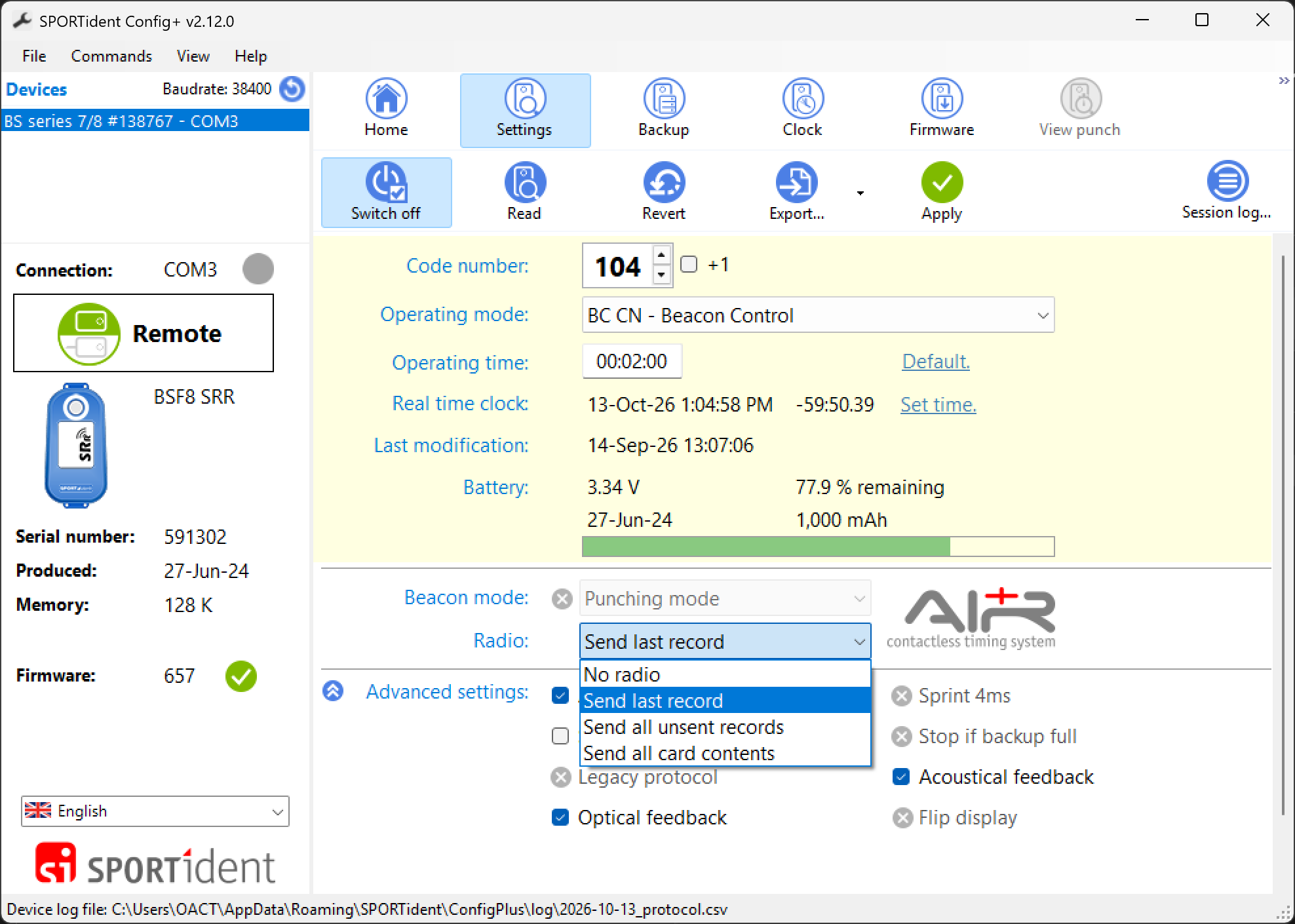
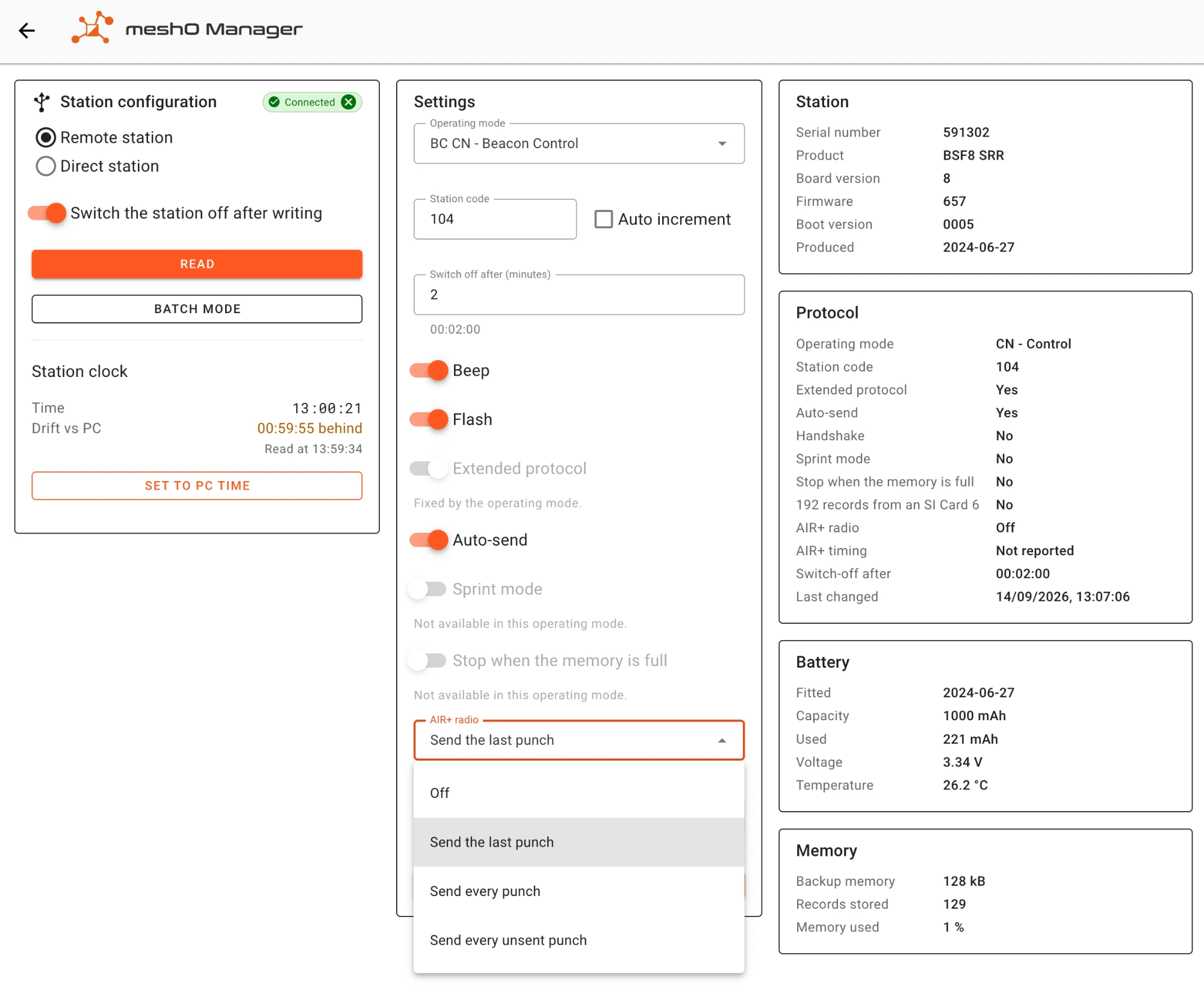
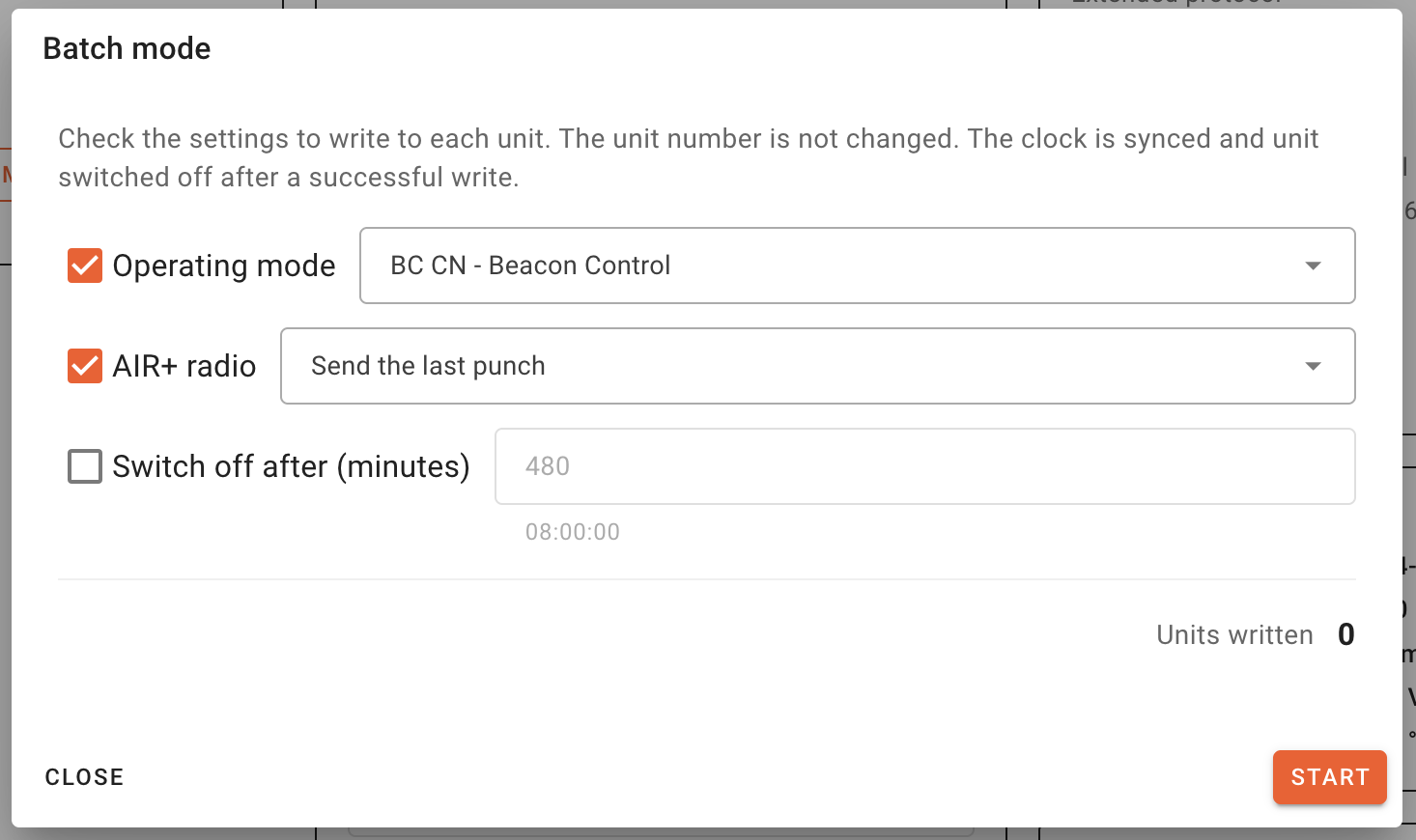
Both SPORTident Config+ and meshO Manager can set it. In Config+ it’s “Send last record”, under Radio. In meshO Manager it’s “Send the last punch”, under AIR+ radio. Manager’s Batch mode writes it to each control in turn without changing its code number, so you can set up a whole box of controls in one sitting.
Sources: SPORTident user guide and SIAC documentation (docs.sportident.com); ACT Orienteering, “Everything You Need to Know About SPORTident AIR+” (act.orienteering.asn.au).