
Software
meshO Manager tip 14: a W10 runner is still out
The fourteenth in our series of short videos about running an event with meshO Manager. This one is the end-of-day safety check, and how the radio controls tell you where to start looking for a runner who isn't back.

Tate Needham
meshO · · 2 min read
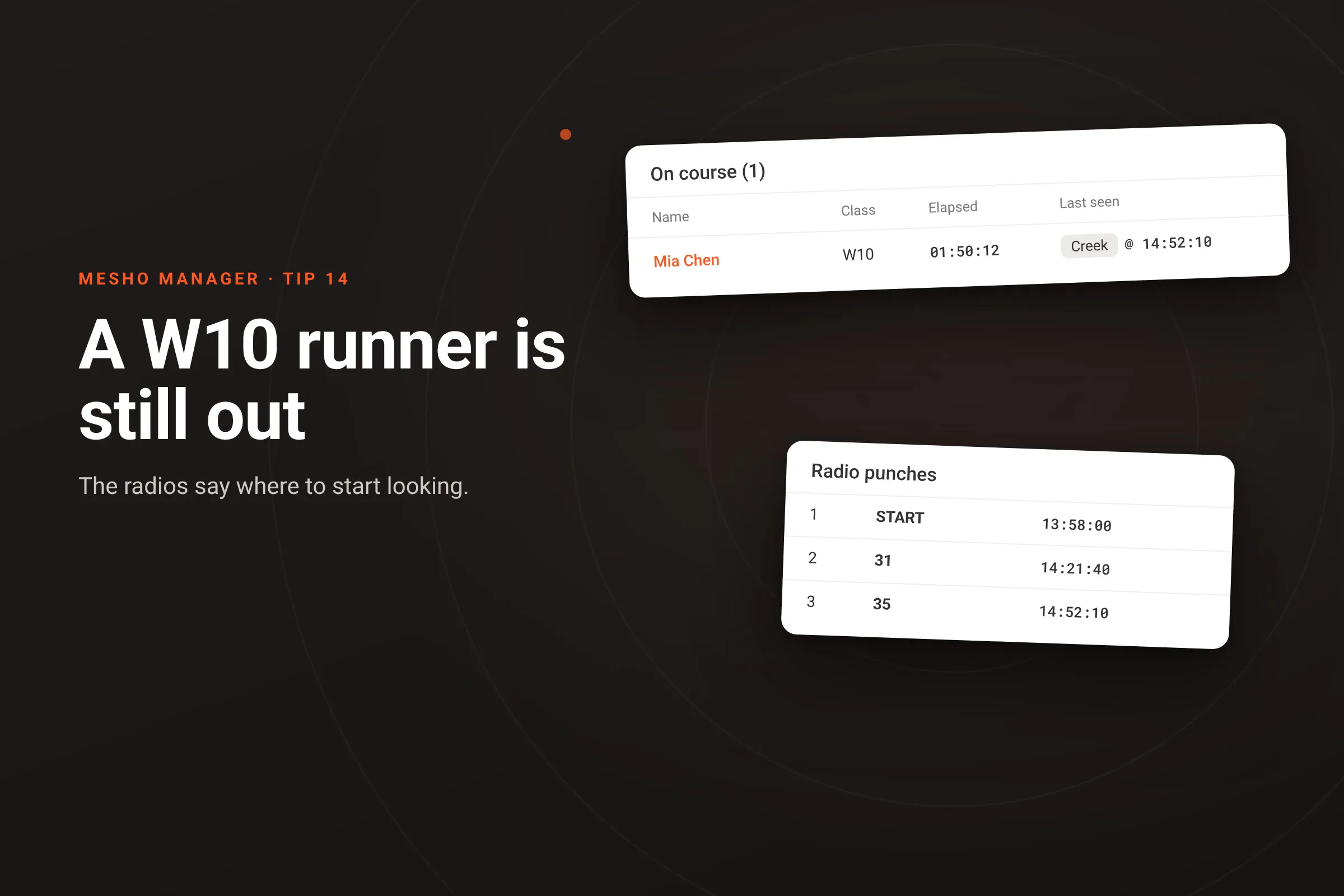
It’s late in the afternoon, the courses are closing, and a parent is waiting at the finish. Their daughter, in W10, isn’t back. meshO Manager can’t tell you where she is now. It can tell you which radio control last heard her, and when, and that is where the search starts.
How it works
- The Competitors tile on the dashboard counts who is On course: started, and not yet back. At the end of the day that number should be zero.
- Click it for the On course dialog. For everyone still out it shows how long they have been out (Elapsed) and Last seen: the last radio control that heard them, and when. A radio you have named shows its name, such as Creek. The list puts whoever has gone longest unseen at the top.
- Click a name to open them, and the Radio punches tab lists every radio punch on their card, in order. The last one is where they were last heard; the next radio on their course is one they haven’t reached. Search the leg between the two first.
- It is a starting point, not a location: Manager knows where the radios heard someone, not where they are now. Tell the search team the leg, and keep the On course list open, because a radio finish punch or a card download takes them off it the moment they are back.
The more of a course your radio controls cover, the shorter the leg to search. Placing them so that each leg is short, especially on junior courses, is part of planning for a safe event.
Getting it
It’s in the current version of meshO Manager. Seeing who is still on course explains the On course dialog, and Safety check: accounting for everyone is the end-of-day procedure.