
Software
meshO Manager tip 13: control goes missing
The thirteenth in our series of short videos about running an event with meshO Manager. This one is the control that stopped working, and the switch that stops it costing everyone a mispunch.

Tate Needham
meshO · · 2 min read
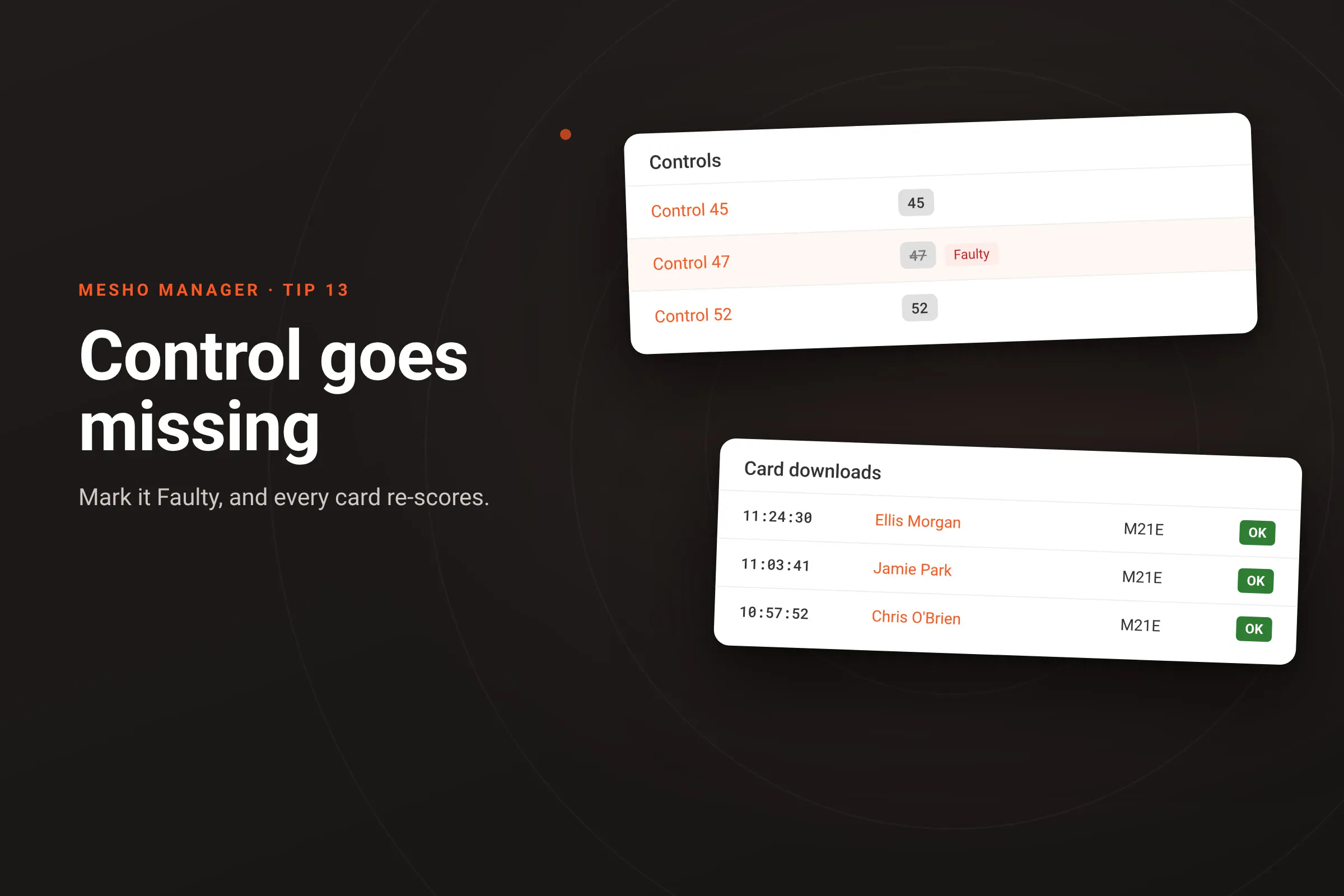
Three cards in a row download as MP, and every one of them is missing the same control. That isn’t three runners who all made the same mistake. The unit at 47 was stolen, or its battery died, and nobody after that point could punch it. You don’t have to fix the runners one by one: fix the control once.
How it works
- Go to Controls, click the control’s name, and open the Faulty tab. Switch on Control is faulty (non-functional) and Save. The list shows its number struck through with a Faulty chip.
- A faulty control is never required. Missing it is never a mispunch, on every course that uses it, for the cards already downloaded as well as those still to come. The runners who were MP only because of it become OK without you touching them.
- It keeps its place in the course. Everyone still ran to it and past it, so the course length still measures through it, and it keeps its own numbered row in the splits printout, the results exports and the analysis. The control numbers on a runner’s splits still match the ones on their map. Anyone who punched it before it failed keeps that split; anyone after has a blank there.
- If the unit was swapped for one with a different number, give the control a Replacement code instead, so the new punches count. If it was only out of place for a few runners, leave the control alone and Mark visited for each of them on their Overrides tab, as in tip 05.
Getting it
It’s in the current version of meshO Manager. The Resolving issues page of the Manager docs covers dead, swapped and misplaced controls, and Faulty controls has the details of the switch.