Software
QR codes for the server links
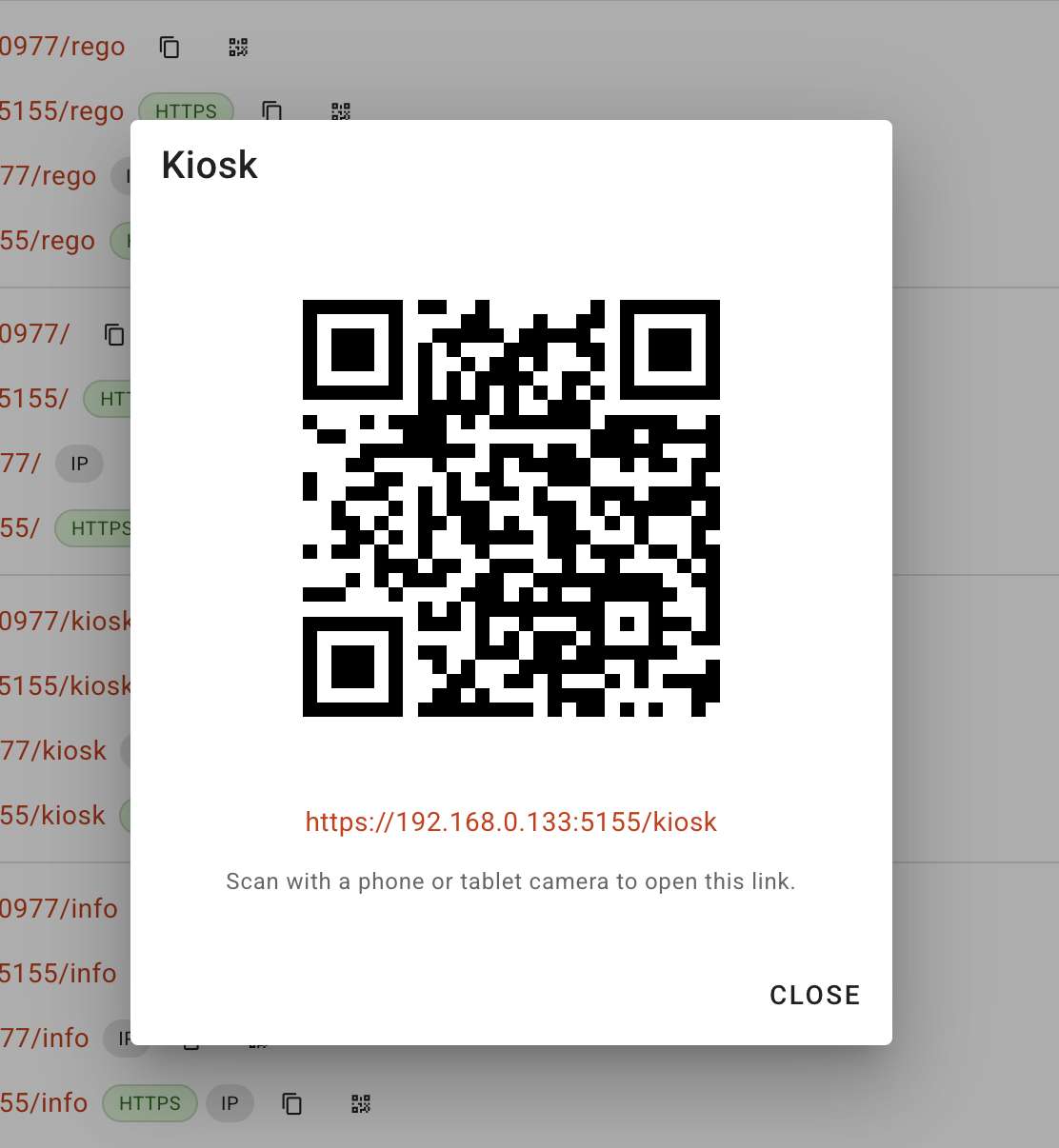
Every link on the Server page in meshO Manager now has a QR code, so a phone or tablet can open the rego desk, kiosk or info screens without anyone typing an IP address. Thanks to Bernard for suggesting it on GitHub.

Tate Needham
meshO · · 1 min read
Bernard’s club has been thinking about running their registration desk on phones and tablets. The Server page in meshO Manager lists the address for each part of the event (Manager, Registration, Spectator, Kiosk, Info screens and Commentary), but getting one of those onto a tablet meant typing something like https://192.168.0.133:5155/rego on a touch keyboard. So Bernard opened an issue asking for QR codes.
Now each link has a small QR button next to its copy button. Click it, and point the phone or tablet camera at the screen.
It’s in the latest version of meshO Manager.
Ideas welcome on GitHub
This one was done within a couple of hours of the issue going up, which is often the way with small things that get in the way on the day. GitHub issues are a good place to send us bugs and ideas:
- Nothing gets lost. An issue stays open until it’s dealt with, unlike a chat at the download tent or an email that slides down an inbox.
- You can see where it’s up to. You’ll get a notification when we reply, ask a question or ship it.
- Others can join in. If another club has hit the same problem, they can add a 👍 or more detail, which helps us decide what to do first.
- Screenshots help. Bernard marked up exactly where he wanted the buttons, so there was no guessing.
If you don’t have a GitHub account, contact us instead. We’d still like to hear from you.