Hardware
What’s new in meshO firmware 4.0.0
A big update for meshO Control and meshO Prime. The radios are better at hearing SIACs and SRR stations, Controls can hold a lot more punches, and meshO Manager now shows how each radio punch was received.

Tate Needham
meshO · · 5 min read
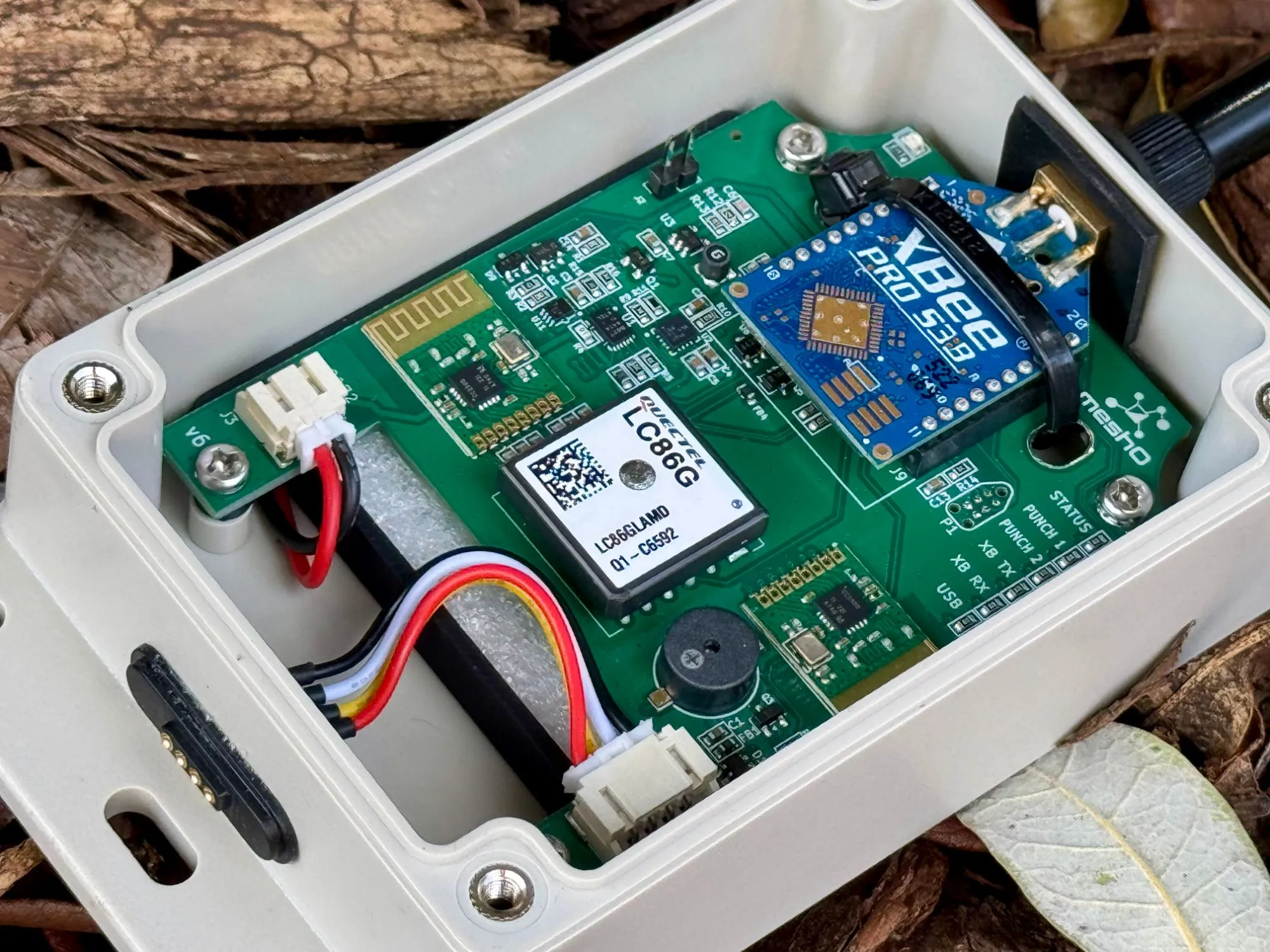
Firmware 4.0.0 for meshO Control and meshO Prime is ready to go. It’s a big one, and most of it is about the radios that listen for punches.
After the 2026 Oceania carnival we spent about a week analysing data and doing low level testing of the SRR transmissions of SIAC and BSF8-SRR units. Receiving radio punches has never been 100%, but we’d never been able to narrow down the problem. Our suspicion was that it was when SIAC cards were running low on battery, but after the analysis that theory didn’t hold. The lost radio punches were definitely related to the actual SIAC card though; we just never seemed to receive many (or any) radio punches from some SIACs, whereas others were flawless. Luckily one of the SIACs that almost never worked belonged to my wife - so now we had an actual “bad” SIAC to work with. The radio chips we use allow us to go very low level - and after adding radio diagnostic mode to the Control were were able to log every packet the radios hear and what the Control does with it. That turned up quite a few problems…
Frequency tuning
Every SIAC is meant to transmit on the same frequency, but in reality they’re all a bit off, and some are off by quite a lot (my wife’s was off by a lot a lot!). The radio chip in the Control can cope with a transmitter being a little off frequency, but past a certain point the packets start coming through with bits flipped, even when the SIAC is right next to the Control with a strong signal.
My wife’s SIAC was so far off that we couldn’t get a single clean copy. I doubled how far off frequency the radios will follow (to about ±135 kHz), which helped, but a card 98 kHz below one Control was still losing between 29% and 48% of its copies.
The fix was to get each radio to tune itself to the cards it’s hearing. For every clean packet, the radio measures how far off the transmitter was, and then retunes to the median of the last 16. On the bench both radios moved 76 kHz towards the cards, none of the next 20 copies were damaged, and every punch came through on the first transmission.
This is all done automatically in the new firmware. The tuning resets each time the Control is turned on, and if one radio hasn’t heard enough cards yet it uses the other radio’s tuning until it has.
Faster ACKs for SRR stations
When a Control receives a punch it sends back an acknowledgement (ACK) so the SIAC or SRR station knows it got through and stops resending. There’s a diagram of how this works in the SIAC battery article. A SIAC waits a while for the ACK, but an SRR station like a BSF8-SRR only waits a few milliseconds.
Our ACK was going out somewhere between 6 and 34 ms after the station finished sending. SportIdent’s own receiver does it in about 2 ms. So the stations never heard our ACK, and were sending every punch all eight times. The punch still got through, but it’s a lot of unnecessary radio traffic.
In 4.0.0 the ACK goes out in 4 to 5 ms, and now the stations stop after the first ACK every time. I also found that we were sometimes cutting our own ACKs short before they’d finished transmitting, which meant SIACs were resending too. That’s fixed as well.
Repairing damaged punches
Sometimes the only copies of a punch that the Control receives are damaged. The older firmware tried to rebuild the punch by comparing several damaged copies. Most of the time this works, but when it gets it wrong the card number ends up one bit off from the card that actually punched. At the Oceania Relay this happened ten times, with punches coming through for card numbers that weren’t in the race. We tightened this up straight after, in 3.2.4.
4.0.0 now checks the checksum on each packet itself, so if a copy has exactly one bit wrong it can work out which bit and flip it back. It doesn’t trust that straight away though. It holds onto the repaired punch and doesn’t ACK it, so the card keeps sending, and if a clean copy comes in the repaired one gets thrown away. Only if the card stops sending does the repaired punch go to Prime.
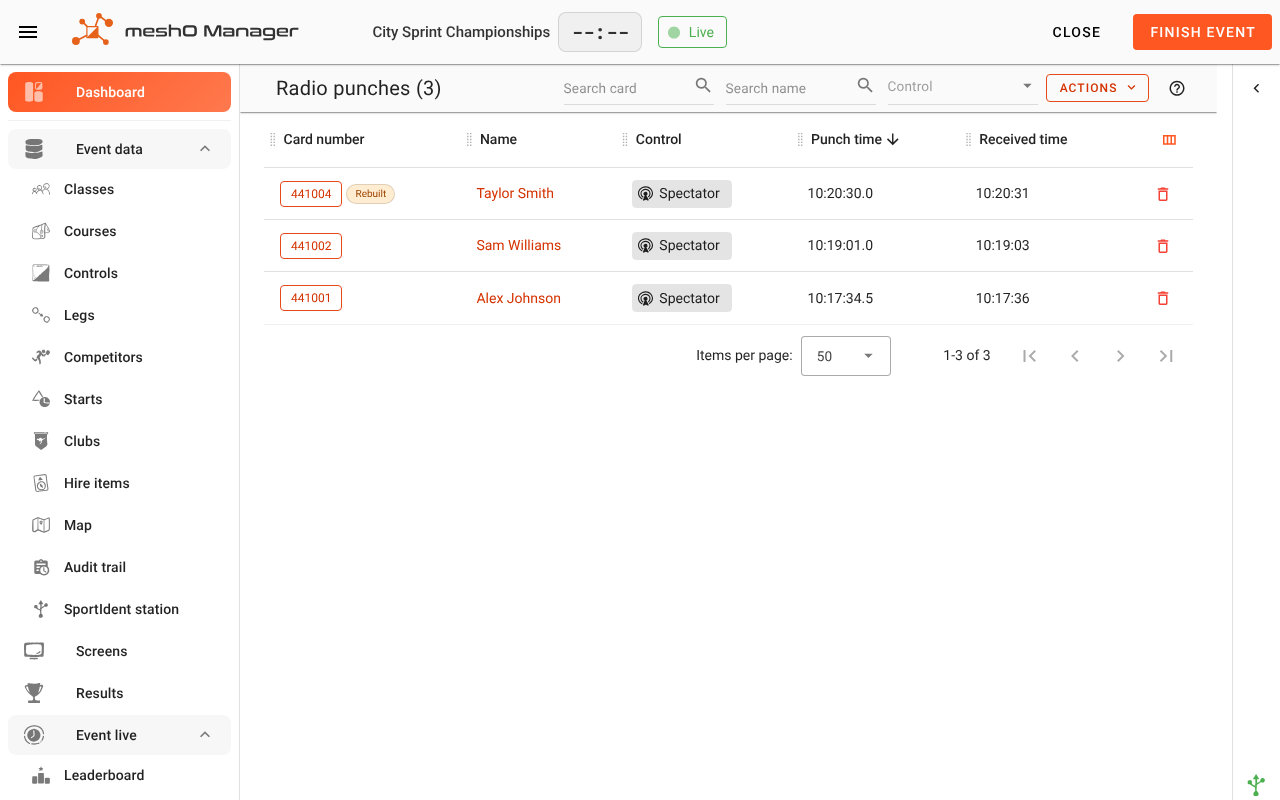
Any rebuilt punch (repaired, or rebuilt from several copies) is now flagged all the way through to Manager. It shows Rebuilt next to the card number. If the card isn’t entered in the event it isn’t counted as an unknown runner. If it’s on an entered competitor’s card it counts like a normal punch, and the card download at the finish will sort it out anyway.
More info for each radio punch in Manager
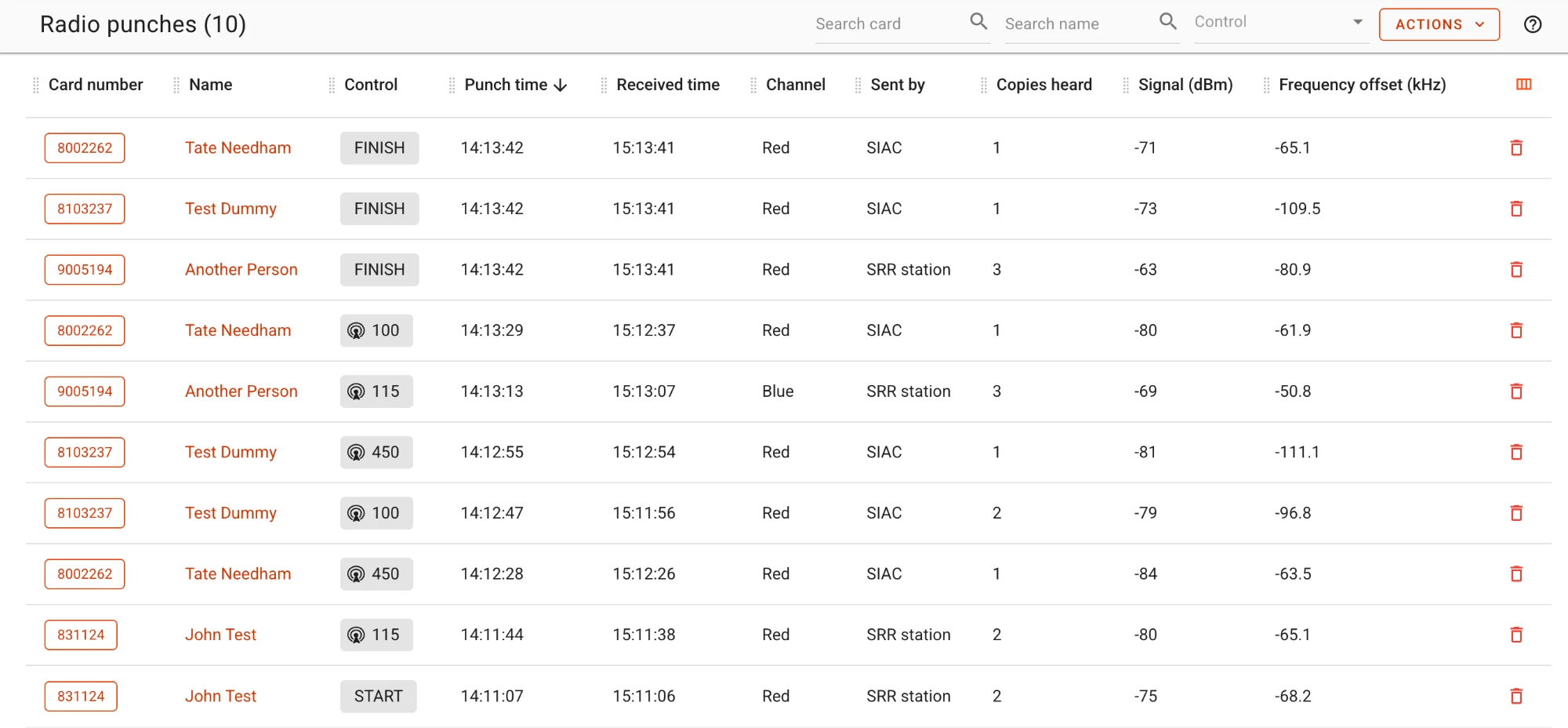
This is the part you’ll actually see. In 4.0.0 the Control tells Prime how it received each punch, and the Radio punches view in meshO Manager has five new columns:
- Channel: whether the red or blue radio heard it
- Sent by: the SIAC, or the SRR station
- Copies heard: how many copies the radios heard, including damaged ones, up to the one it used (1 means the first copy was clean)
- Signal: signal strength in dBm. Around −40 is right next to the Control, and below about −90 copies start getting damaged
- Frequency offset: how far off frequency the transmitter was, in kHz
These are mainly to help with placing radios and finding cards or stations that are hard to hear. If a Control regularly needs lots of copies, or the signal is weak, it’s struggling to hear from that spot, so try moving it closer to the SportIdent unit or up higher. If a card or station is way off frequency compared to the others at every Control, it’s probably drifting.
The columns will be blank for punches from older Controls, punches received over SIRAP, and punches entered manually. You can hide them from the column menu if you don’t need them.
Holding more punches when Prime is out of range
If a Control can’t reach Prime, it holds onto its punches and sends them when it’s back on the network. Up until 3.2.4 it only had room for about 30. After that, new punches were dropped. They were still on the competitors’ cards so the download filled in the gaps, but they didn’t show up live. In 4.0.0 a Control can now hold 8,000 punches.
I also fixed a bug where a Control could get stuck retrying a send that kept failing, until the watchdog reset it and it lost all the punches it was holding. It now waits a second before trying again.
Updating
meshO Control firmware v4.0.0 sends punches to Prime in a new format (that’s how all the extra info gets through), and a Prime older than 4.0.0 doesn’t understand it and drops the punch. So make sure you update Prime and Control at the same time.
To update, open the Devices page in meshO Manager and switch to Firmware. It shows what firmware each unit has and lets you update it. Prime updates over USB, and the Controls update over the air through Prime. If a Control’s new firmware doesn’t start up properly, it automatically goes back to the previous version.
You’ll need the latest version of meshO Manager to see the new columns. There’s more detail on all of this on the Radio punches page in the Manager docs.