
Software
Who to ring: contact details and emergency contacts in meshO Manager
When somebody isn't back, the first question is who to call. meshO Manager now keeps each person's mobile, email and address, and an emergency contact, in the Competitor Registry, and shows them on the competitor. It works offline. Setting up Eventor is simpler too: the API key is enough.

Tate Needham
meshO · · 4 min read
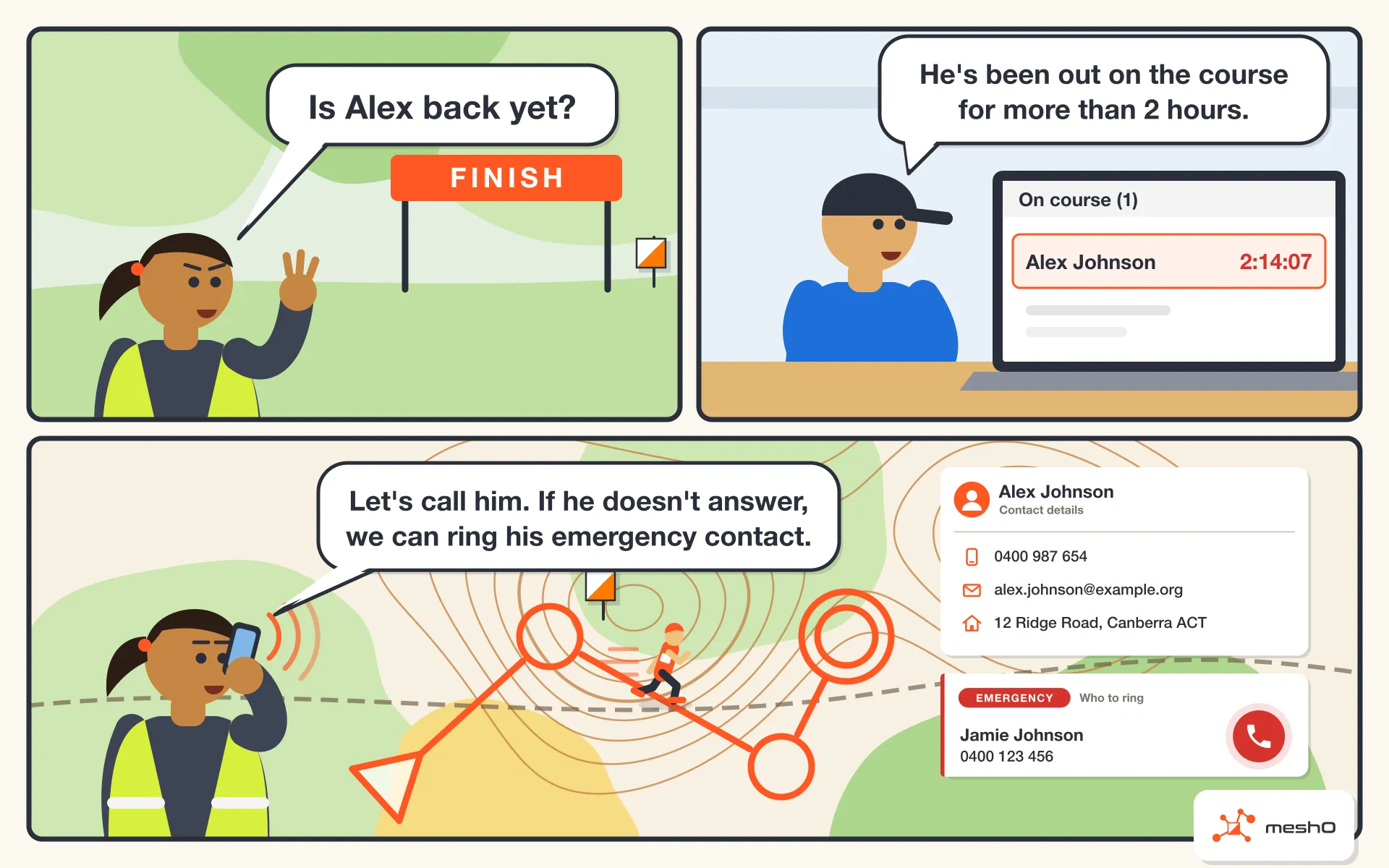
It’s getting late. The safety check is down to one name, and the runner’s car is still in the car park. The first thing anyone asks is “has someone got their number?”
Until now, meshO Manager couldn’t tell you unless you’d planned for it, with a custom field for an emergency contact filled in at registration. Otherwise the number had to come from somewhere else.
meshO Manager now keeps those details itself. Open the competitor and their mobile and their emergency contact are there.
Where it’s kept
The details belong to the person, not to one event, so they’re kept in the Competitor Registry, the list of people Manager already uses to fill in names, clubs and card numbers as you type. For each person it now keeps:
- Their contact details: email, mobile, phone, postal address and nationality.
- An emergency contact: a name and a phone number.
They’re kept on your computer, so you can see them at a venue with no internet.
There are two ways to fill them in.
From Eventor. Members can enter contact details and an emergency contact in their Eventor profile. Refresh competitors from Eventor in the registry brings them in along with everything else. Manager also refreshes the registry by itself, at most once a day, after you import an event from Eventor.
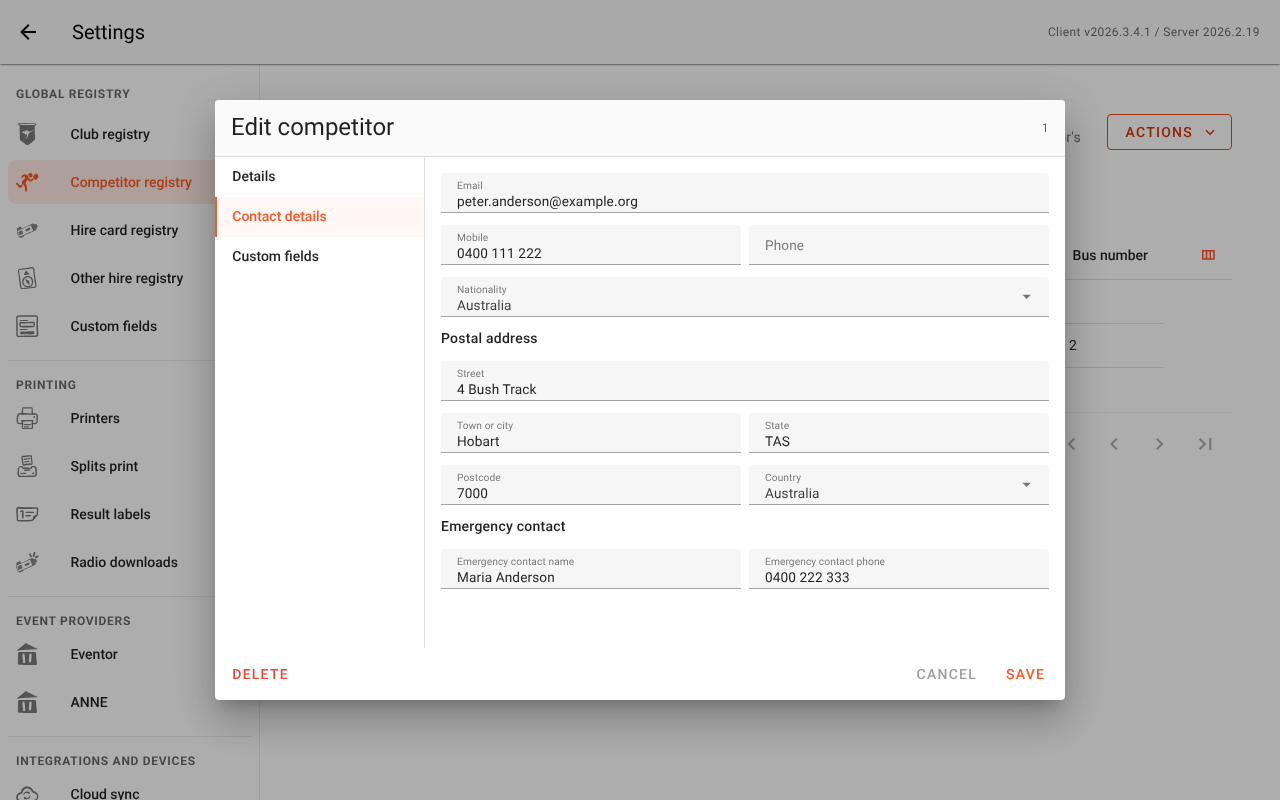
By hand. Open a person in Settings → Competitor registry and go to the new Contact details tab. The emergency contact is at the bottom.
A change you make in the registry shows straight away in every event, including one that’s already running. If someone at the start tells you their partner’s number has changed, update it and it’s correct on their competitor at once.
When Eventor and your own changes disagree, Eventor wins:
- Details in someone’s Eventor profile replace what the registry held for them, including anything you typed. To make a lasting change, change it in Eventor.
- Details that came from Eventor and have since been removed there are removed.
- Details you typed for someone whose Eventor profile has none are kept.
On the competitor
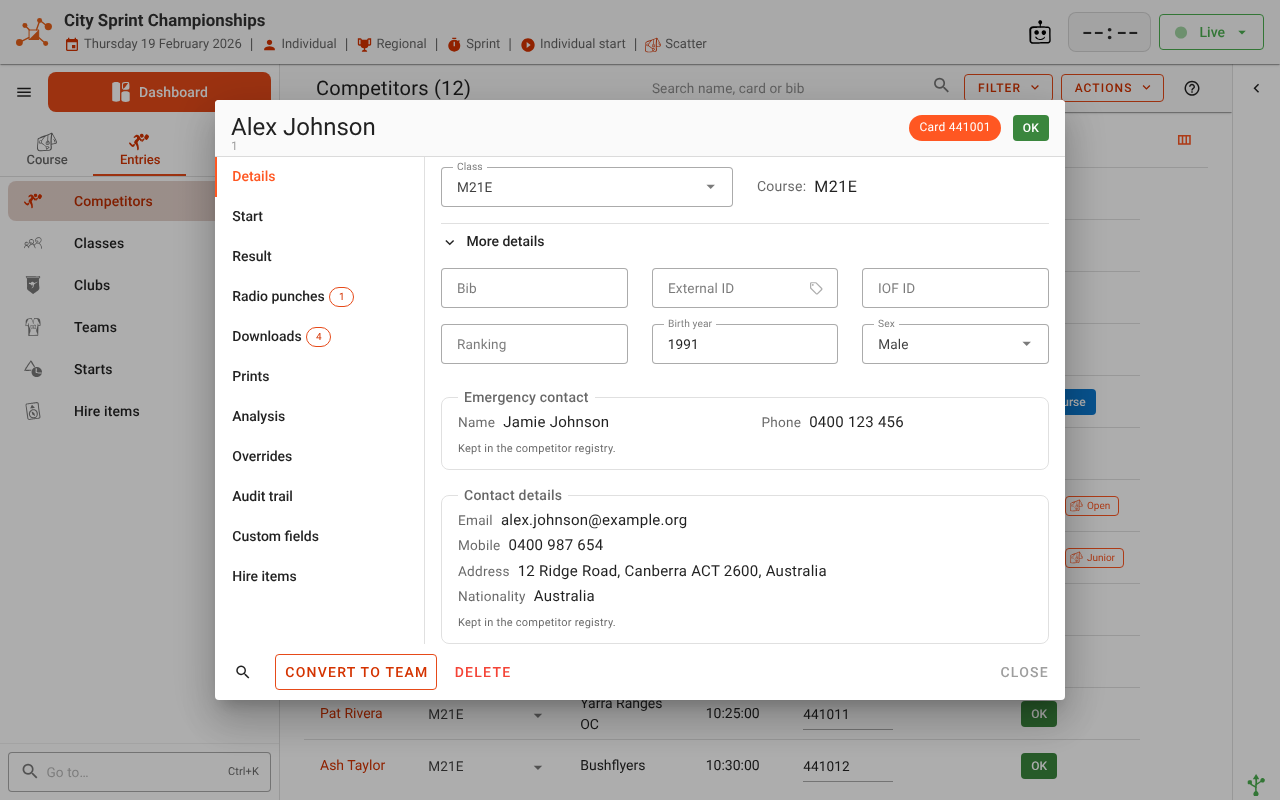
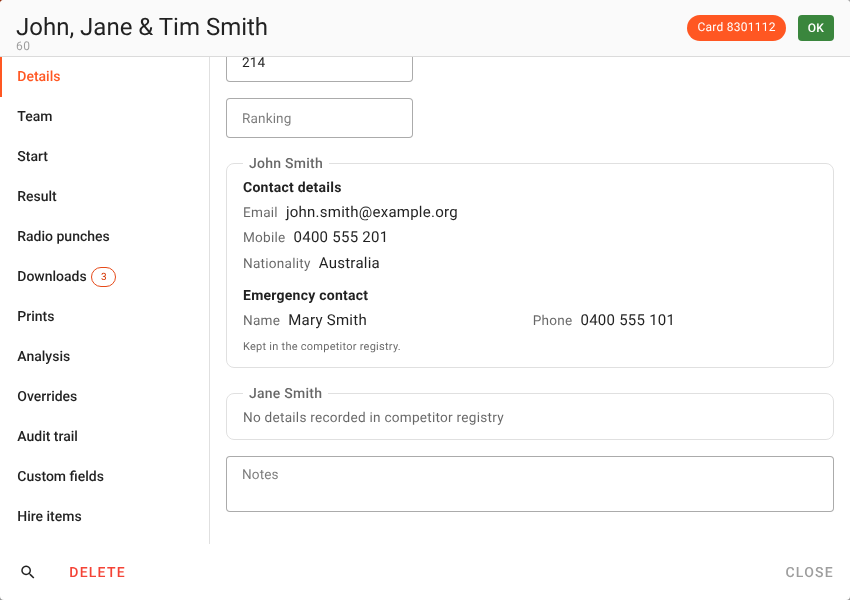
In an event, the competitor’s Details tab now has a More details section at the bottom. When it’s closed, the row lists what it holds, including the runner’s mobile and phone, so you can usually read the number without opening anything. Open it to see the Emergency contact and Contact details panels in Figure 1.
You can’t edit them there. They come from the registry, so they’re changed in the registry. If the registry knows the person but holds no emergency contact, the panel says No details recorded in competitor registry.
Manager finds the person by their Eventor ID, External ID or IOF ID, never by name or card number. A runner who borrowed a card still gets their own contact, and two people with the same name never get each other’s.
When somebody isn’t back
This is what it’s for. Work through the On course list as usual. For each name that’s really still out, open them and look under More details:
- Try their own mobile first. People often forget to download and go home. A quick call settles it.
- Then the emergency contact. It’s the name and number they gave Eventor for this.
The safety check docs cover what each panel means, including what to do when there isn’t one.
Teams that run together
A team that runs together, like a parent with two kids on one card, is one competitor. The registry knows the people in it, not the team. So More details shows a panel for each member the registry knows, under the member’s name: their contact details, then their emergency contact.
Private by design
These are personal details, so they’re handled differently from everything else in an event:
- Shown only to you, the operator. They never appear on public screens, results or the live results page, and they’re never a column in a list.
- Never part of the event. They aren’t in any export, backup or Eventor upload. They stay in the registry.
- Set a PIN. Under Settings → Access protection. Without one, anyone on your network can open Manager and read them.
Deleting a person from the registry, or Clear competitor registry…, removes their details too.
Eventor: the API key is enough
Getting contacts from Eventor needed a change to how Manager connects to it, and it’s simpler now.
Settings → Eventor no longer asks for an Organisation ID. The API key is enough. As you type it, Manager shows the club or association it belongs to in bold underneath, or tells you Eventor didn’t recognise it. A wrong key is obvious before you leave home, not when you try to import on the day.
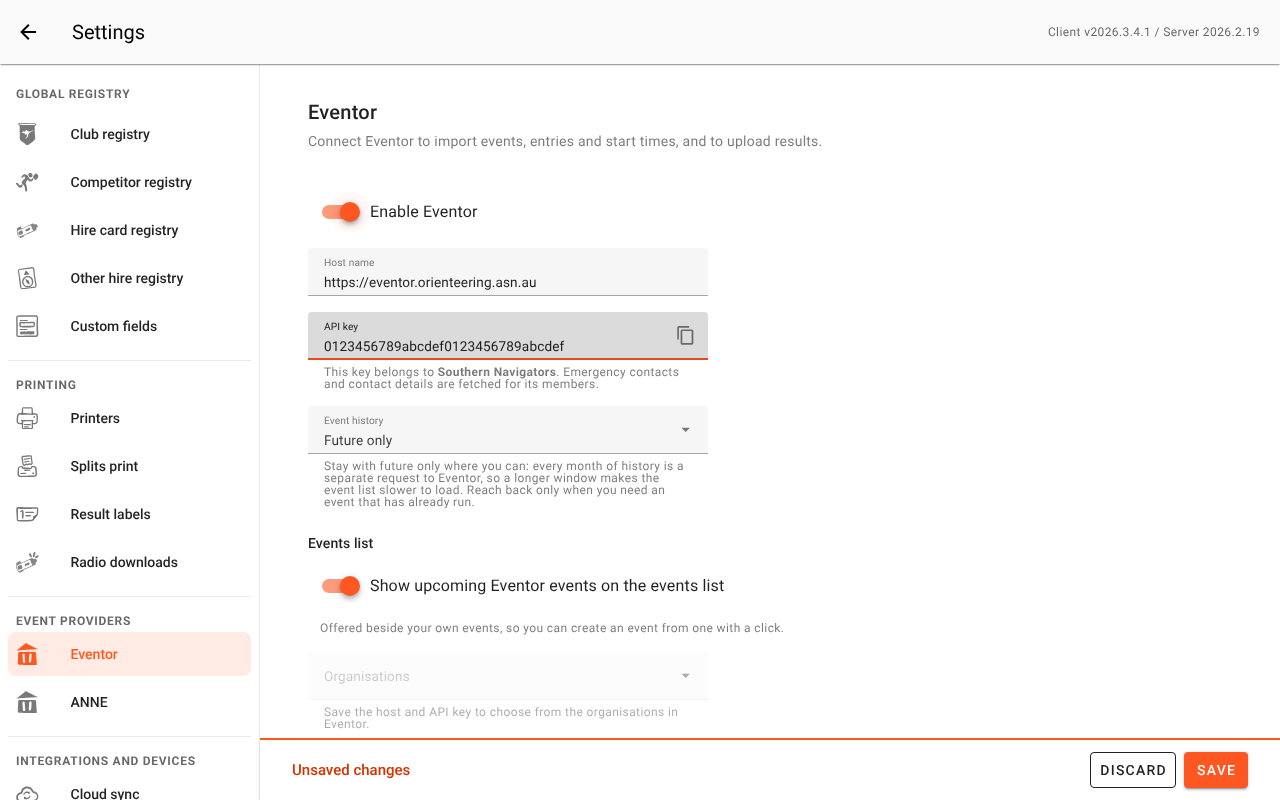
Everything else follows from the key:
- Events to import: every event in Eventor, whichever organisation the key belongs to.
- Competitor Registry: everybody in Eventor.
- Club Registry: every club in Eventor, overseas clubs included. A visitor from another country finds their club already there.
- Contact details and emergency contacts: only for the members of the key’s own organisation. That’s all Eventor gives out. A club’s key brings that club’s members, and a state association’s key brings the whole state’s.
If you run events for a state, use the state association’s key and you’ll get contacts for everyone in it. Anyone else is covered only by what you type in.
Before your next event
- Check Settings → Eventor shows the organisation you expect under the API key.
- In Settings → Competitor registry, choose Actions → Refresh competitors from Eventor. Do it at home, so the numbers are current when you get to the venue.
- Set a PIN under Settings → Access protection, if you haven’t already.
Getting it
It’s in the next version of meshO Manager. The docs have more on emergency contacts, contact details and setting up Eventor.