Software
Two live events at once, and why you usually want one
meshO Manager can run several events live at the same time on one computer. Most days you shouldn't: one event already mixes course formats, start types, and relay and individual classes. When two events really must stay apart, here is how it works, what changes when they share radio controls, and what is still left to you.

Tate Needham
meshO · · 10 min read
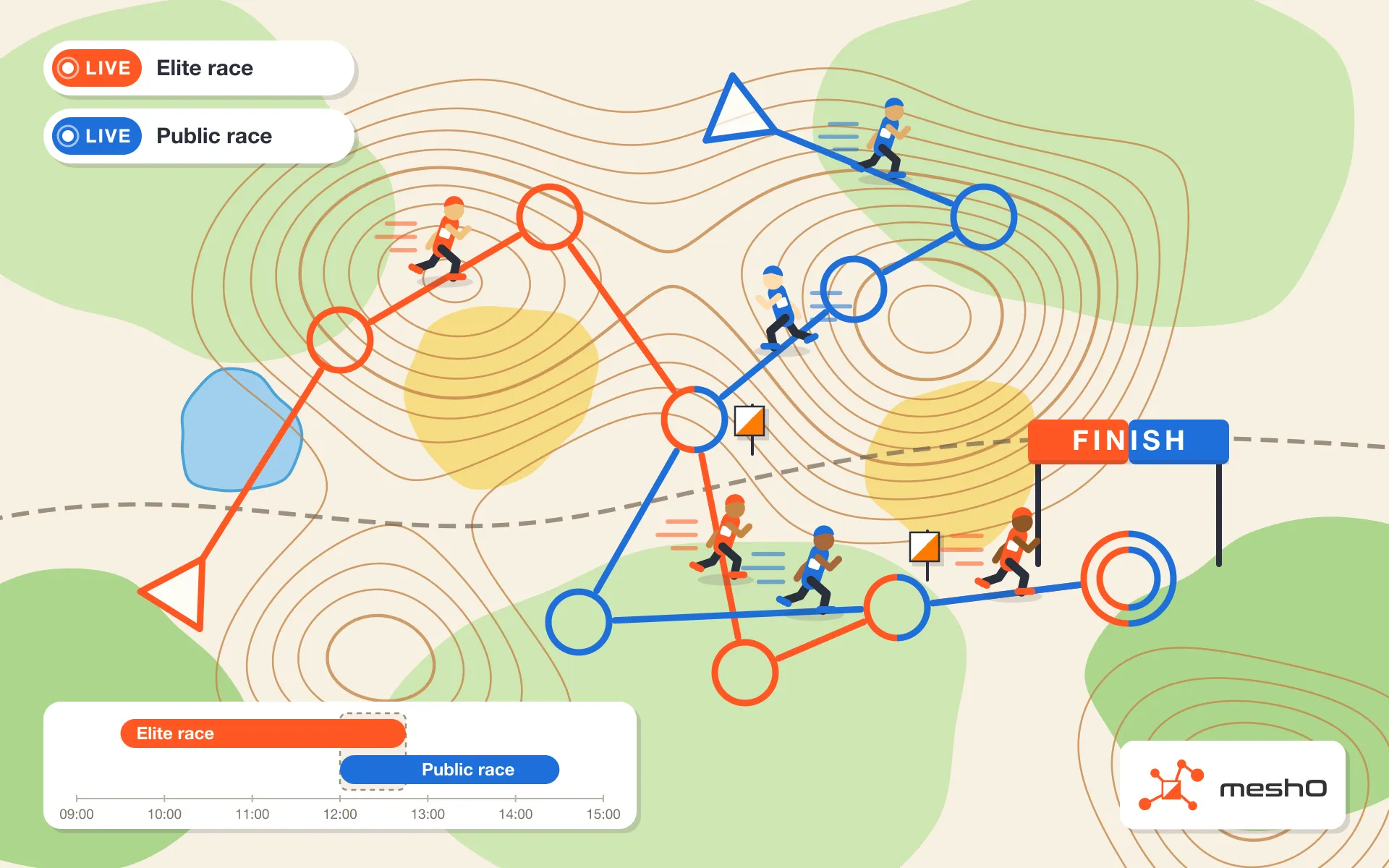
meshO Manager can now have more than one event live at the same time on one computer. A morning race whose last runners are still out when the afternoon race starts, or a championship and a public race sharing a finish, can each run as its own event, with its own entries, results, desks, screens and publishing.
Before you reach for it, read the first section. For almost every event, the right number of live events is one.
One event is usually the answer
The usual reason to want a second event is that part of the day looks different: a score course beside the line courses, a mass start for the juniors, punching starts for the come-and-try runners. None of these needs a second event. A meshO Manager event is built class by class, and each class can be different.
- Line, score and scatter courses in one event. Course format belongs to the course. A class can set its own score time limit and penalty, so a 2-hour and a 6-hour score class can share one set of controls.
- Every kind of start in one event. Allocated starts from the draw, a class mass start for one class, an event mass start for the rest, and punching starts for anyone without a time. Waves are class mass starts at staggered times, and each course can use its own start location.
- Relay and individual classes in one event. A relay event can hold individual side classes, and the screens show each class the way it should be shown.
- Results are already per class. Results, splits, leaderboards and spectator pages all work class by class.
One person, several courses
At a schools day the kids might run three short courses before lunch. At an ultra sprint there might be five races, and everyone can run each one. That is still one event.
- Make a class per course, such as Sprint 1 to Sprint 5, and enter each runner once in every class they will run, on the same card. The Competitors list flags the shared card as a duplicate; here it is meant.
- They download after each run. Manager gives each read to the entry whose run it records, from when the card was punched, and radio punches follow the same rule. Each run gets its own result in its own class.
- Somebody not entered for a run? The download desk shows Card reused and offers to duplicate them into the class they just ran.
- Courses run back to back, without downloading in between, with one result for the lot, such as a Duo class’s ride then run: that is a class whose competitors do All courses.
Each course has its own results. For one ranking across all five races, read the results through the Manager API and apply your own rules.
Two events cost you something. Every desk has to know which event it is feeding, every screen which event to show, and there are two of everything to set up, watch and finish. If you use radio controls, both events hear every punch, and each punch then needs an owner (a section below is about that alone).
So the question is not “is this part of the day different?” It is “must the data be kept apart?”
When two events are right
Two events earn their keep when the data must be kept apart:
- Two competitions with different owners. A national championship beside a club’s public race. Each wants its own entries, results file, audit trail and archive.
- Two entry systems. Entries come from two Eventor events, and results go back to two.
- Two places to publish. Two liveresultat competitions, two live exports.
- A championship that must stay clean. Its results, live or afterwards, must never show a public-race runner.
A quick test: would you be happy with one results file and one audit trail for the day? If yes, run one event.
The case that led to it
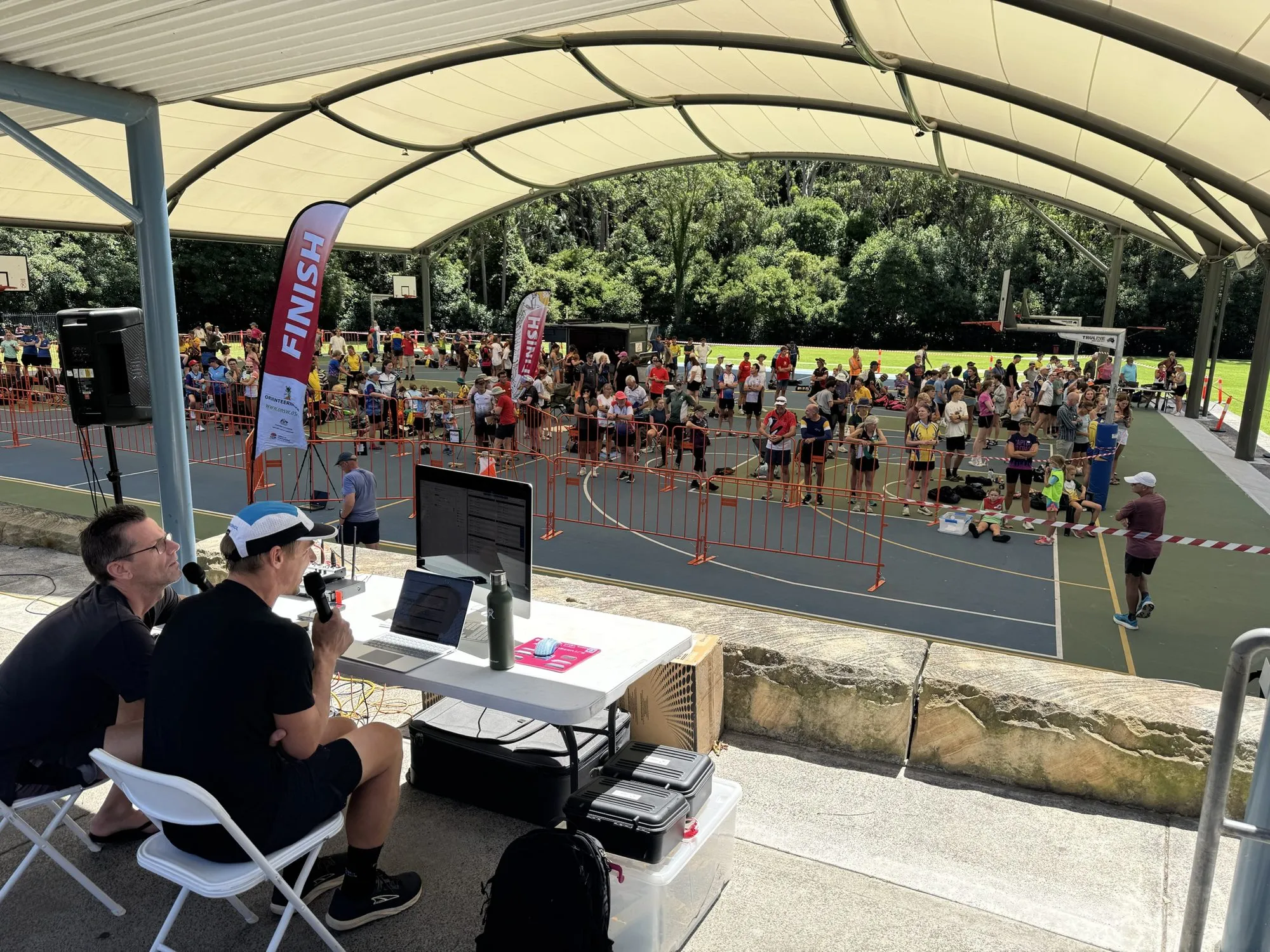
At the Oceania Championships in Canberra this year, each day of the Australian Schools Championships had a public Flight of the Bogong race on the same terrain, the same map and many of the same controls. On the long day, 239 schools competitors and 439 public runners started.
The two had to stay apart. The Schools Championships has its own entries, team scoring and results; the Flight of the Bogong races have entries of their own. The schools race had a start list, the public race punching starts. And they overlapped only slightly: the last schools runners were still out when the first public runners started.
Before Manager could run two live events, the choice was to hold the public race’s start until the last schools runner was home, or to start it and recover the schools race’s last runners afterwards.
How it works
Each live event is a whole event, exactly as if it were the only one: its own entries, card downloads, results, backups, printing, live export, liveresultat publishing and audit trail. Finishing one leaves the other running.
A desk reads cards into the event it has open, and a screen shows the event it is set to. If neither event uses radio controls, that is all there is to it: two independent events on one computer.
Radio controls are the one thing two events can share. A radio punch carries a card number and a control code, not an event, so every punch goes to every live event that takes radio punches. Manager reads the radio stream once and hands it to each event, and each keeps its own copy so it can be replayed on its own later.
Each event decides what a punch means for itself. A punch whose card is entered there is matched to that competitor; one whose card is entered only in the other event is stored but changes nobody. Radios, batteries and signal strengths are facts about the network, so they appear in both events.
With radio controls: whose punch is it?
Without radio controls, skip to what is still left to you. With them, this is the hard part, and another reason one event is usually better.
For most punches the card number settles it: the card is entered in one event, and the punch counts there and nowhere else. Two kinds of card are not settled that way:
- A card entered in neither event, such as a hire card that never made it onto an entry. Each event would show it as an unknown runner on its course.
- A card entered in both events, such as somebody running both races, or a family card carried by a parent in the morning and a child in the afternoon. The afternoon start punch would put the morning entry back on the course.
For these, Manager looks at how the run began. The event a run’s Start or Check punch belongs to owns the whole run, up to its finish. You tell Manager how to read that punch in one of two ways.
Starts that overlap: different codes
When both events have runners starting at the same time, give each event’s start and check units their own codes: the morning race starts on 1 and checks on 3, the afternoon race on 10 and 11. A punch at 10 belongs to the afternoon race, whoever’s card it is. The finish can be shared.
Set the codes under Event details → Radio controls on each event. New events take theirs from Settings, so change the second event’s.
Starts at different times: start windows
When the starts don’t overlap, both events can use the same start and check units, and the time of the punch says which race it is. Each event’s start window runs from its first start to its last.
- A start list or mass starts: nothing to do. Manager takes the window from the start list.
- Punching starts: state the window under Event details → Starts: turn on Start window and enter the first and last start.
A punch inside a window belongs to that event. A punch outside every window belongs to the nearest one, so a check punch ten minutes before the afternoon window opens still goes to the afternoon race.
Manager will not guess
If a punch falls inside two windows, exactly halfway between them, or one of the events has no window at all, the run is left undecided, and the punch counts in every event where its card is entered, as if nothing had been set up. Leave a gap between the windows, or use different codes. Codes beat windows: when the codes differ, the windows are not used.
You can set the codes or a window after the runs have begun. When you save, Manager decides every run again, and a runner wrongly put back on course comes off it.
What you see
Each event’s Radio punches list holds every punch the network heard. Its Show filter chooses what you see:
- This event and unknown cards, the default.
- Other events’ runners too, named with their event in grey (Jane Smith — Afternoon race). They change nothing here.
- Unclaimed cards only: cards nobody is entered against in any event that day. These are the hire cards and late entries to chase.
Each event’s On course and Pending lists, and its unknown-card counts, show only its own runners.
What is still left to you
For every pair of events
A desk reads into the event it has open. There is no routing at a desk. If a card belongs to the other live event, the desk says so (This card is entered in Afternoon race (Jane Smith)) and links to that event’s download page. Read it again there. Check the event’s name on the dashboard before a desk starts.
Screens follow the most recently started event unless they are set. An unset screen moves to the afternoon race the moment it starts. Set each screen to its event. The spectator site, the kiosk and the info displays ask which event to show.
A live standby takes both. A standby follows every live event, and a takeover takes them all in one step. See Live standby.
A replay runs alone. No event can go live while a replay runs, and no replay can start while any event is live.
After a restart, resume each one. Every live event comes back as Interrupted. Manager offers to resume one; resume the other from its dashboard.
With radio controls
Entries have to be right. Somebody running both races is entered in both, on the card they will carry, and a hire card is entered in the race it was handed out for. A card entered in only one event is one Manager never has to think about.
The radio card download station routes by card number. Nobody stands at it to choose an event, so a card read over the radio goes to the event where it is entered. If both have it, it goes to the one where that runner has not downloaded yet, then to the most recently started event. A card entered in neither goes to the one event that creates competitors for unknown cards, if exactly one does, and otherwise to the most recently started. It does not yet use the start punch. If it chose wrong, delete the download and read the card at a desk in the right event.
Finishing an event early loses its stragglers’ radio punches. A finished event stops taking radio punches, so a late runner’s finish punch reaches only the other event and changes nothing. Do the safety check before you finish.
Radio commands act on the whole network. Power off, arm, transmit power and resend reach every radio, whichever event’s screen you press them on.
Alerts appear in both events. A flat battery or a silent unit is raised in each event, so either operator hears about it. Dismissing it in one leaves it in the other.
An event started later sees the network from then on. Its radios and batteries fill in at the next poll, within a cycle.
Setting up the day
Before the first start, on the computer running Manager:
- Both events have the same date.
- Each desk knows its event. A desk per event, or one desk that switches.
- Each screen is set to its event.
- Printing is checked on both. Splits and result label settings are per event.
- If you use radio controls, both events take radio punches (Event details → Radio controls), they can be told apart by codes or by start windows with a gap, and people are entered in the event they run, on the card they will carry.
On the day
Start the first event as usual. When the second is due, open its dashboard and choose Start event; the first carries on.
With radio controls, check each event’s Radio punches with Unclaimed cards only now and again: each card there is a hire card or late entry to sort out while the runner is still nearby.
Finish each event on its own, from its dashboard, when everyone in it is back. The other carries on, with its backups, live export, publishing and radio feed untouched.
The illustration and diagrams are drawn for this guide. Further reading in the meshO Manager documentation: Running two events at once, Start times, Classes and courses, Relay events, More than one run on a card and Radio punches. meshO Manager is free to download and use.