
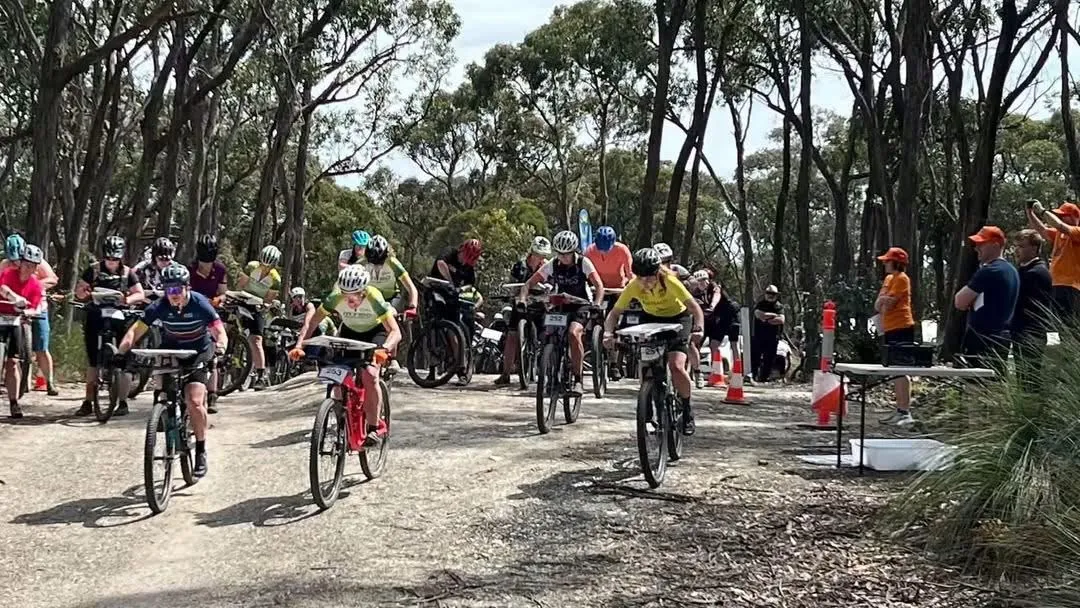
A self-run Australian MTBO Championships 2026
153 riders and 511 participations across mass start, middle, sprint and long races near Ballarat. The organisers hired meshO radios by post and ran all four races themselves, using meshO Manager for the first time.
- Where
- Ballarat, VIC
- When
- 9–11 October 2026 · 3 days
- Scale
- 153 competitors · 511 participations · 4 races
- meshO provided
- Radio control hire (1 meshO Prime, 7 meshO Controls) · meshO Manager
The brief
In 2024 the meshO team ran the event services at the Australian MTBO Championships in Canberra (read that case study). For 2026 the championships moved to the Ballarat area, and the organisers wanted to run things themselves.
The championships committee, led by John Gavens, worked out with us where radios could usefully go: a few controls near the finish on the mass start, middle and long courses. The middle needed the most, with six radios, so the hire was one meshO Prime and seven meshO Controls, with one spare. meshO Manager is free, so the software cost nothing.
How it ran
The kit went out by post a month early so the team could try it at a club event first. Ian Chennell, the championships’ IT manager, tested it at Brown Hill two weeks before the championships. After that test, he wrote:
All worked as advertised, and intuitive to navigate around the Manager. Comfortable the MTBO Champs will run smoothly with this.
From there, Ian, John and their team ran all four races without anyone from meshO on site. They ran meshO Manager on two laptops:
- A database laptop ran the meshO Manager server, with meshO Prime connected.
- A download laptop had the SportIdent download box and the splits printer, and ran meshO Manager in a browser connected to the server over the local network.
Each race had a meshO Control at the finish and up to three radio controls on the course. meshO Manager found the radio controls by itself as the first punches came in and put them on the results without anyone setting them up.
The championships in numbers
153
competitors
511
participations
731
radio punches
39
clubs from 3 countries
Race by race
| Race | Date | Radios | Starters | Radio punches |
|---|---|---|---|---|
| Mass start | Fri 9 Oct | 1 on course + finish | 116 | 174 |
| Middle | Sat 10 Oct | 3 on course + finish | 136 | 333 |
| Sprint | Sat 10 Oct | Finish | 131 | 112 |
| Long | Sun 11 Oct | 2 on course + finish | 128 | 112 |
Participations count every start: a rider who raced all four championships counts four times. 100 riders raced all four. Figures from the meshO Manager event files.
What the organisers used most
Ian’s list of what he relied on through the weekend:
- Hire card tracking. Ian hadn’t tracked hired SI cards in other software, but here it looked easy enough to set up, and he says he was sold.
- The live field view. It shows where each meshO Control is and how strong its signal is, which made it easy to check the radios were set up properly.
- The dashboard. By Ian’s estimate it covered 80% of what he needed to see on race day.
- Runners still out. Ian left it open on screen near the end of each race. When anyone asked who was still out, he pointed at the screen.
- The results. Riders liked the coloured placings.
What we’re improving
The team also told us what didn’t work and what they’d like added. Feedback like this from organisers running meshO themselves is how meshO Manager gets better.
- Printing splits from a second laptop. The splits printer on the download laptop wouldn’t print, because meshO Manager said it needed a secure connection even though it already had one. Ian worked around it by sharing the printer on the network and having the server print the splits. We’re fixing this.
- Hire cards in Runners still out. On the last day someone asked which riders with hired cards were still out. Showing the hire card icon in the Runners still out list would answer that at a glance.
- Collecting hire cards over several races. At the moment meshO Manager asks for a hired card back at download after every race. For a carnival, it should ask only after the last race that rider is entered in.
- Search in the competitor details. A search box in the competitor details window would let you jump straight to the next rider, which helps when the download tent gets busy. This one’s done: press ⌘F or Ctrl+F in the competitor details window (see how it works).
“The four Aust MTBO Champs events went very well, and I was most impressed with MeshO, both the radio segment, and with MeshO Manager as the event software. I told several people that it’s a ‘world-class product with modern and event-friendly features’.”
Want to run your own event with meshO? See meshO Manager and the radio controls, or read the planning guide for help deciding where radios should go.
Running a championship?
See what’s included in our event services, or tell us about your event.