
Software
meshO Manager tip 15: three score courses, one finish
The fifteenth in our series of short videos about running an event with meshO Manager. This one is a score event with a 1-hour, a 2-hour and a 3-hour class over one set of flags, staggered starts and one finish time, entries on the day, and the results uploaded to Eventor.

Tate Needham
meshO · · 2 min read
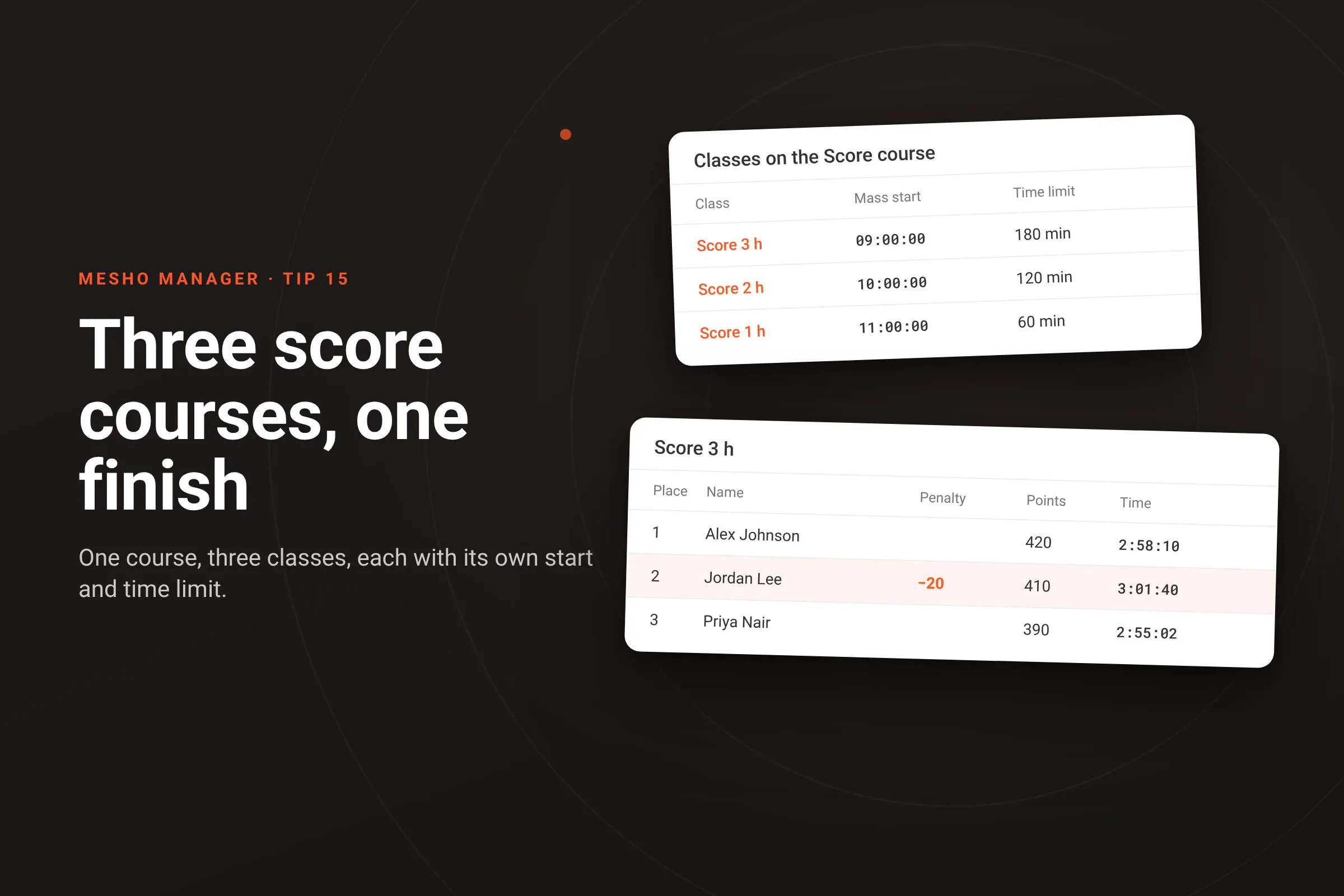
A score event with three lengths: 1 hour, 2 hours and 3 hours, all on the same flags. The 3-hour runners go at 9:00, the 2-hour at 10:00 and the 1-hour at 11:00, so everyone is due back at 12:00. Some entered online and some turn up on the day. And the results go to Eventor. In meshO Manager that is one course and three classes.
How it works
- One course. Make one course and set its Course format to Score. A score course starts as every control in the event, so all three classes share the same flags. To give a shorter class fewer controls instead, make a second score course and take some controls off it.
- Three classes on it. Give each class the one score course. In each class’s Edit class dialog, the Score settings take that class’s own Time limit (minutes) and Penalty per minute late; leave a box blank to use the event’s. Turn on Class mass start and set the class’s start time.
- Entries on the day. At the desk, choose the class. Each class has one course, so the course comes with the class, and nobody has to guess a runner’s course from the card at download.
- Results. A score class is ranked on points, then on race time. Every minute, or part of a minute, over the class’s limit costs the penalty. The results show Penalty and Points beside Time.
- Eventor. Results → Publish → Upload to Eventor… sends the results, with each runner’s score and penalty, straight to the Eventor event.
Getting it
It’s in the current version of meshO Manager. Score and scatter courses explains the course formats, Creating a class by hand the class’s own score settings and mass start, and Uploading to Eventor the upload.