
Software
meshO Manager tip 12: find any runner, from any screen
The twelfth in our series of short videos about running an event with meshO Manager. This one is Ctrl+F, which finds a competitor from whatever screen you're on.

Tate Needham
meshO · · 2 min read
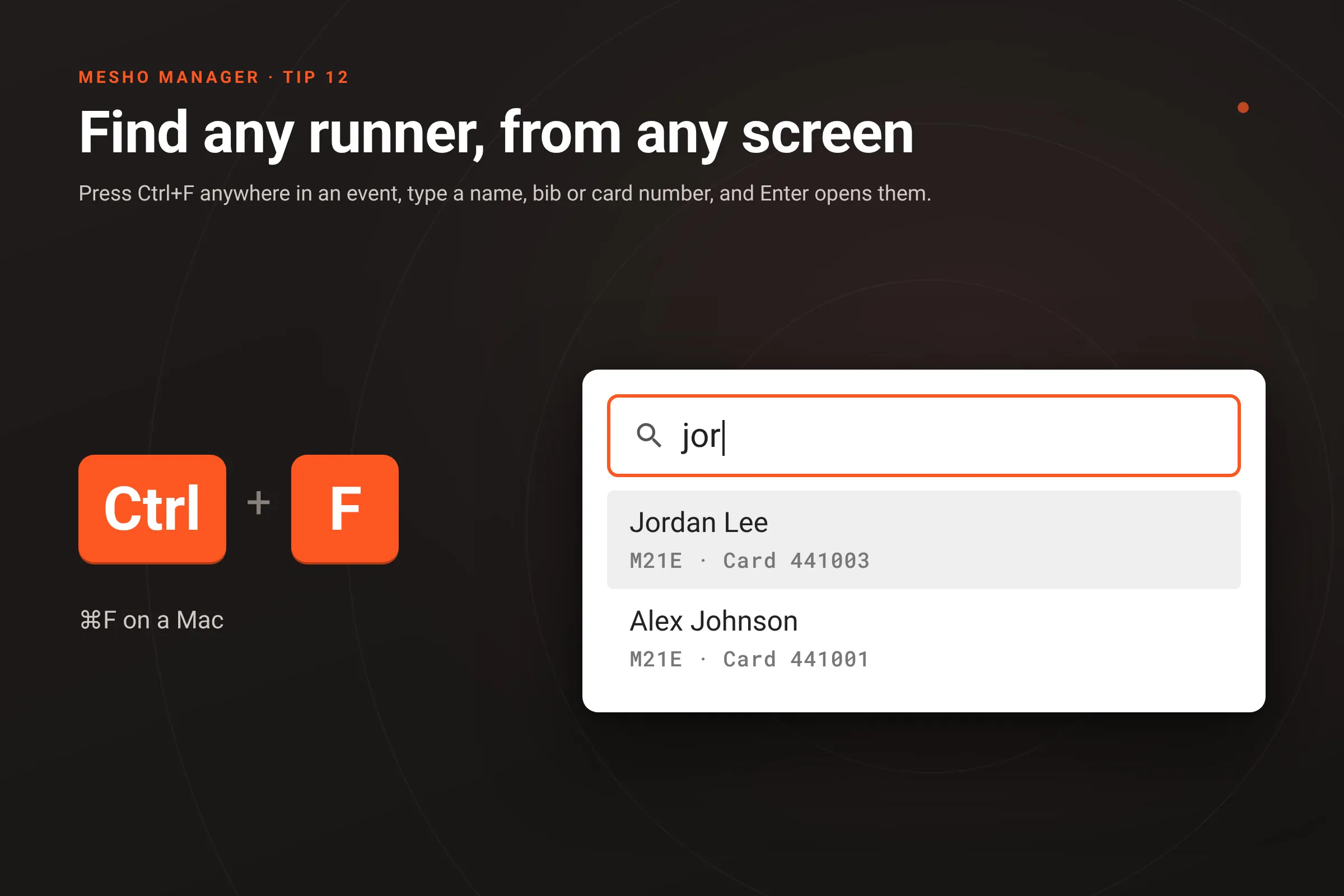
A runner turns up at the desk with a question, and you’re on the Results page, or Card downloads, or halfway through the Radios. You don’t have to go back to the Competitors list to find them. Press Ctrl+F (⌘F on a Mac), type a bit of their name, and press Enter. Their details open right where you are.
How it works
- Press Ctrl+F on any screen of an event. A search box comes up in the middle of the page, empty, with the cursor already in it. On a Mac it’s ⌘F, and either works on either kind of computer.
- Type a name, bib or card number. It matches the same things as the Competitors list’s search box. Matches are listed as you type, with each runner’s class, bib and card, and names that start with what you typed come first.
- Press Enter for the first match, or use the arrow keys or click to pick another. Their Edit competitor window opens. Esc closes the search and leaves you where you were.
- Ctrl+F again for the next runner. With someone’s details open, Ctrl+F goes to the search at the bottom left of that window instead, so you can go straight to the next person without closing. If you were part way through typing something for the first one, that’s saved before it switches. There’s more about that in Jump to the next competitor with ⌘F.
- On the dashboard, Ctrl+F goes into the Quick competitor actions tile’s search, which is there for exactly this.
Ctrl+F used to open the browser’s own find-in-page. Inside an event in meshO Manager, it now finds people instead.
Getting it
It’s in the latest version of meshO Manager. The Competitors page of the Manager docs has the details.